Loading app details…
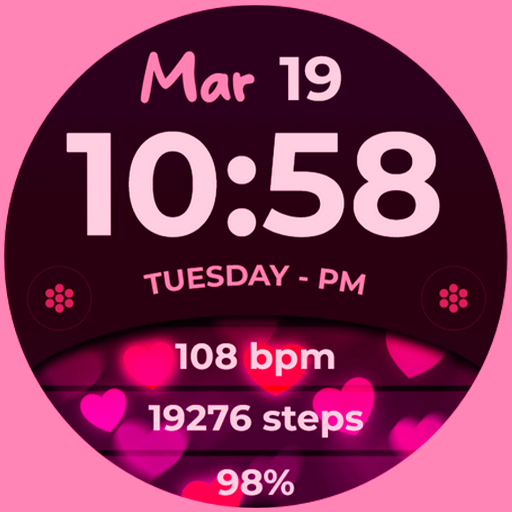
Bloom Hearts
📍INSTALLATION GUIDE<br><br>Our watch face apps are thoroughly tested in a real device (Galaxy Watch 4) and are "reviewed and approved" by the Google Play Store Team before publishing them.<br><br>⚠️⚠️⚠️ Before you rate us unfairly, reach us out at bloomfieldwatchfaces@gmail.com and we will send you sceeenshots and instructions how to install the watchface. We are more than willing to help you step by step.<br><br>TAKE NOTE❗️❗️❗️<br>1️⃣ Watchfaces automatically install on watch. (There will be a download icon on screen while installing)<br>2️⃣ MAKE SURE THE WATCH IS STRONGLY CONNECTED TO YOUR PHONE USING THE SAME WIFI. MUST ALSO LOG IN TO YOUR GOOGLE ACCOUNT "ON WATCH" FOR SEAMLESS INSTALLATION.<br>3️⃣ After download, WAIT for a few minutes for the watchface to be transferred on watch. (There will be a notification on your watch if the watchface was successfully transferred.)<br>4️⃣ If incase there is no notification, Go to PLAYSTORE ON YOUR WATCH and type on the SEARCH BOX "Bloom Hearts" <br>5️⃣ The watchface will show up, then hit on install button.<br><br>⭐️ Watchfaces don't automatically change after successful installion. Go back to home display. Tap and hold display, swipe until the end and tap + to add the watchface. Rotate Bezel to find the watchface.<br><br>📍Please see Feature Graphics for more details how to install.<br><br>⭐️ALLOW / ENABLE all permissions from settings -> applications -> permissions.<br><br>⚠️Refund is ONLY allowed within 48 hours.<br><br>📍This watch face was developed with Samsung's "Watch Face Studio" tool for devices based on the new Wear OS Google / One UI Samsung operating system like Samsung Galaxy Watch 4.<br><br>📍WEAR OS API Llevel 30+ devices are supported.<br><br>📍FEATURES:<br><br>-Analog / Digital Time<br>-Date and Day of Week<br>-Always-On (AOD)<br>-Preset App Shortcuts<br>-Custom App Shortcuts<br><br>📍Some features may not be available on some watches.<br><br>Full Collection: https://play.google.com/store/apps/developer?id=Bloomfield+Watchfaces<br>Contact us at: bloomfieldwatchfaces@gmail.com<br>Facebook Page: https://www.facebook.com/bloomfieldwatchfaces<br>Youtube Installation Tutorial: https://www.youtube.com/watch?v=vMM4Q2-rqoM