48 apps
Watch Face

The Moon Watch Face
📱 COMPATIBLE: Samsung Galaxy Watch 8, Ultra, 7, 6, 5 | Google Pixel Watch 4, 3, 2 | All Wear OS 6+ smartwatches<br><br>⌚ The Moon combines the charm of analog hands with a realistic lunar background.<br><br>✨ KEY FEATURES:<br>• Moon Phase Tracking<br>• 📅 Full Calendar<br>• 🔋 Battery Level %<br>• 🚶 Step Counter<br>• Celestial Design<br>• 🌙 AOD Support<br>• ✅ Wear OS Optimized<br><br>🎯 PERFECT FOR:<br>• Fans of modern design<br>• Lovers of classic style<br><br><br>⚠️ Note: The watch face may take up to 15 minutes to appear. Search in Play Store on your watch if needed.

Digital Rapter Watch face
Wear OS device only<br><br>Dial Information:<br>- The dial supports automatic switching of the time format 12h/24h<br>- Changeable background colors (tap & hold to customize & change colors)<br>- Steps<br>- Battery<br>- Heart<br>- Date<br>- Aod Mode<br><br>Supported devices:<br>all Wear OS devices with API Level 30+<br><br>Note:<br>- This watch face doesn't support square devices.
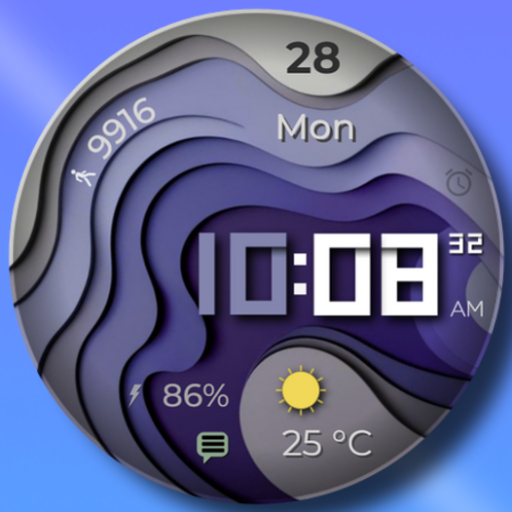
WAVES - Digital Watch Face
I'm pleased to present another watch face with many selection of customizable elements.<br>A lot of possible designs combination! You can find your favorite point of view. <br>Customization<br>- 6 types of background<br>- 15 colors for the displayed time<br>- 2 version of AOD<br>- 1 compilation fields<br>- 12/24 time<br><br>NOTE:<br>This app is made for Wear OS devices.

Flora Elegant Design Watchface
If you need help with installation please email: nxvwatchface@gmail.com or visit https://nxvwatchface.com/help<br><br>[For Wear OS devices]<br><br>Elegant, stylish and vibrant ladies watch face with the following features:<br><br>• 5 background color customization options (long tap watch face to customize)<br>• 6 text & theme color options (long tap watch face to customize)<br>• 12/24 hour time<br>• Steps counter<br>• Heart rate (10 minute measurement interval or tap on heart rate icon to take manual measurement)<br>• Day & date (multi language)<br>• Battery percentage<br>• Ambient mode
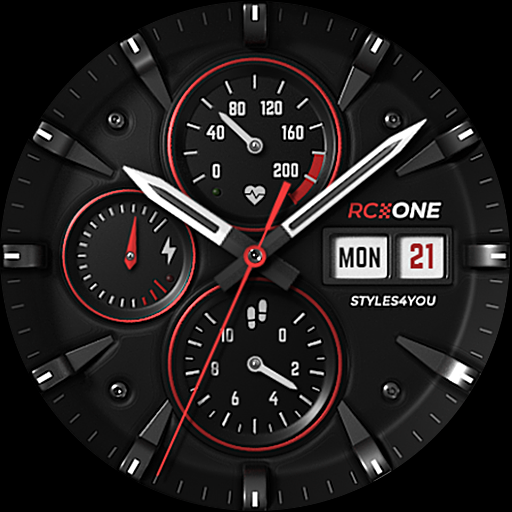
S4U RC ONE - Basic watch face
****<br>⚠️ IMPORTANT: Compatibility<br>This is a Wear OS Watch Face app and supports only smartwatches running Wear OS 5 or higher (Wear OS API 34+).<br>Compatible devices include:<br>- Samsung Galaxy Watch 4, 5, 6, 7, 8 (incl. Ultra and Classic Versions)<br>- Google Pixel Watch 1–4<br>- Other Wear OS 5+ smartwatches<br><br>If you experience any issues with installation or downloading, even on a compatible smartwatch:<br>1. Open the companion app provided with your purchase.<br>2. Follow the steps in the Install/Issues section.<br><br>Still need help? Feel free to email me at wear@s4u-watches.com for support.<br>****<br><br>The "S4U RC ONE - Basic" is a realistic analog dial inspired by classic chronographs. The extraordinary 3D effect makes you feel like you are wearing a real watch. You can set up 7 custom shortcuts to get to your favorite app with just one click. Check out the gallery.<br><br>✨ Key Features:<br>- ultra realistic analog watch face<br>- 7 individual shortcuts (reach your favorite app with just one click)<br>- 3 ring colors on the inner dials<br>- you can change the color of the small hands and the logo between red and white<br><br>***<br><br>🕒 Data Displayed:<br><br>Display in the right area:<br>+ Weekday<br>+ Day of the month<br><br>Display on bottom:<br>+ analog Pedometer (max. 40k steps)<br><br>Display at the left:<br>+ Battery Status 0-100%<br><br>+ Have an minimal always on display.<br><br>***<br><br>🎨 CUSTOMIZATION OPTIONS<br>1. Press and hold the watch display.<br>2. Push the customize button.<br>3. Swipe left or right to switch between the different customizable objects.<br>4. Swipe up or down to change the options/color of the objects.<br><br>Available Customization Options:<br><br>Ring Color: 3 options (red, white or black)<br>Border Shadow: 2 options (off, on)<br>Color: Color combination for the second hand, logo, and small hands (colors are red or white)<br><br>***<br><br>⚙️ COMPLICATIONS & SHORTCUTS<br>Enhance your watch face with customizable app shortcuts:<br><br>App Shortcuts = Link to your favorite widgets for quick access.<br><br>1. Press and hold the watch display.<br>2. Push the customize button.<br>3. Swipe from right to left until you reach the "complications".<br>4. The 7 shortcuts are highlighted. Click on it to set what you want here.<br><br>***<br><br>📬 Stay Connected<br>If you enjoy this design, be sure to check out my other creations! I’m constantly working on new watch faces for Wear OS. Visit my website to explore more:<br>🌐 https://www.s4u-watches.com<br><br>Feedback & Support<br>I’d love to hear your thoughts! Whether it’s something you like, dislike, or a suggestion for future designs, your feedback helps me improve.<br><br>📧 For direct support, email me at: wear@s4u-watches.com<br>💬 Leave a review on the Play Store to share your experience!<br><br>Follow Me on Social Media<br>Stay up to date with my latest designs and updates:<br><br>📸 Instagram: https://www.instagram.com/matze_styles4you/<br>👍 Facebook: https://www.facebook.com/styles4you<br>▶️ YouTube: https://www.youtube.com/c/styles4you-watches<br>🐦 X: https://x.com/MStyles4you
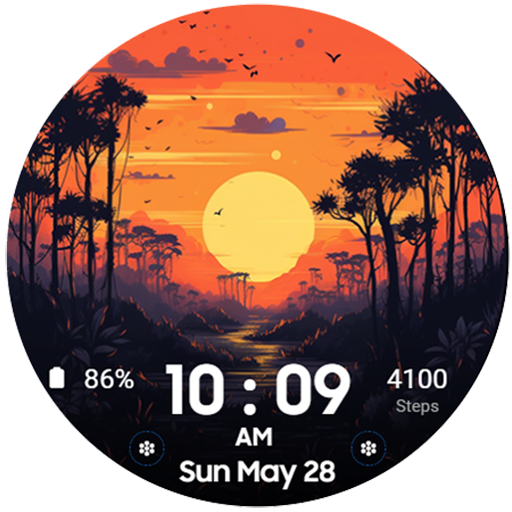
The Sunset Digital Watchface
The Sunset - Digital Watchface For Wear OS.<br>Feature :<br>- Digital Clock<br>- Date<br>- 2 Editable Complication<br>- 2 Custom app shortcut<br>- 4 Background Variant<br><br>*** The watch must be worn on the wrist for Health (HR) and Sports data to work<br>*** HR display only shows last update<br>*** Oppo and square watch models are not supported at the moment

[Remastered] GYD003 Digital
[압도적인 입체감, 하이테크 디지털의 재탄생 - GYD003 Remastered]<br><br>베스트셀러 GYD003 모델이 기존 디자인 정체성은 유지하면서 더욱 더 고퀄리티의 새로운 모습으로 돌아왔습니다. 더 깊어진 입체감, 극대화된 시인성, 그리고 사용자의 자유도를 높인 4종의 컴플리케이션 추가까지. 당신의 스마트워치를 진정한 하이테크 장비로 업그레이드하세요.<br><br>🕒 디자인 하이라이트<br><br>* 3D 입체 LCD 디스플레이: 디지털 숫자에 깊이감 있는 그림자와 입체 효과를 부여하여, 마치 실제 액정 화면을 보는 듯한 생생한 몰입감을 제공합니다.<br><br>* 다크 프리미엄 커버: 전체적인 배경과 커버 디자인을 다크한 톤으로 전면 교체하여, 어떤 스트랩과도 완벽하게 어우러지는 고급스러운 분위기를 연출합니다.<br><br>* 하이브리드 비주얼: 직관적인 대형 디지털 시간과 정밀한 아날로그 서브 다이얼이 조화를 이루어 미래지향적인 감성을 극대화했습니다.<br><br>⚙️ 주요 기능<br><br>* 극대화된 시인성: 걸음 수(STEPS)와 심박수(HR) 데이터의 폰트 크기를 대폭 키워, 운동 중에도 한눈에 건강 상태를 확인할 수 있습니다.<br><br>* 정보 중심 대시보드: 날짜, 요일 표시기, 배터리 잔량 바 등 필수 정보를 논리적으로 배치했습니다.<br><br>* 4종의 편집 가능 컴플리케이션: 기존의 로고 자리를 대신하여 12시, 3시, 6시, 9시 방향에 사용자가 원하는 정보를 자유롭게 배치할 수 있는 컴플리케이션 기능을 추가했습니다.<br><br>🛠 커스터마이징<br><br>* 8종 LCD 배경 컬러: 클래식한 그린부터 세련된 퍼플까지, 기분에 따라 LCD 배경 색상을 변경할 수 있습니다.<br><br>* 8종 디지털 숫자 컬러: LCD 배경과 별도로 숫자 컬러를 조합하여 수십 가지의 독창적인 스타일을 완성하세요.<br><br>* 다크 커버 테마: 리마스터링된 다크 계열 커버 컬러가 시각적 피로감을 줄여줍니다.<br><br>🌙 AOD (Always On Display) 모드<br><br>GYD003 Remastered는 전력 소모를 최소화하면서도 핵심적인 디자인 요소를 유지하는 세련된 AOD 모드를 지원합니다. 어두운 곳에서도 배터리 걱정 없이 스타일을 유지하세요.<br><br>⌚ 지원 기기<br><br>Wear OS 4.0 이상을 실행하는 모든 기기를 지원합니다. (Samsung Galaxy Watch 4, 5, 6, 7, Ultra, Google Pixel Watch 등)<br>----<br>개발자 연락처 :<br>허근영 목동남로4길 81<br>105동 201호<br>양천구, 서울특별시 08101<br>South Korea 440-54-00782 00 00

TIMEFLIK Watch Faces
<b>The best smartwatch watch face marketplace with over 2 million watch faces, the most in the world.</b><br><br>Galaxy Watch 7, 8 Series and All Wear OS 6+ devices Official Support!<br>If you’re using a smartwatch with Wear OS 6, please go to My Page > Settings to switch to the new version.<br><br><b>INSTALL OUR WATCH APP!!! Set TIMEFLIK watch app in your watch screen to send watch faces properly. </b> <br><br>⌚︎ <font color="#45c9c6"><b>Full Watch Face Format Support</b></font><br>Offers customizable features and improved battery-efficient WFF(Watch Face Format) designs.😎<br><br>⌚︎ <font color="#45c9c6"><b>One-Tap Application</b></font><br>Change watch faces instantly with one button, no need for a clunky companion app.<br><br>⌚︎ <font color="#45c9c6"><b>Top Designers</b></font><br>Discover stunning designs by over 50 professional designers.<br><br>⌚︎ <font color="#45c9c6"><b>Design your own watch faces.</b></font><br>Anyone can be a designer with TIMEFLIK free templates!<br>Customize with your photos or free templates like hands, subdials, battery status, even health features; steps, weather and UV index!<br><br>⌚︎ <font color="#45c9c6"><b>Fresh Styles Daily</b></font><br>Upgrade with a subscription for unlimited access to all watch faces. <br>Enjoy your first year's subscription for just $19.99 (a $71.99 value)<br><br><b>Google Play's Best for Wear Winner 👏</b><br><br>[How to use?]<br><br>1. Install our watch app.<br>- Google Play : Wear OS by Google / Samsung Galaxy Watch 4, 5, 6, 7, Ultra, 8, 8 Classic<br>2. Set TIMEFLIK as your watch face.<br>- Go to the Wearable app > Watch faces > and choose Timeflix from the "Downloaded" list.<br><br>[Health Connect Permission Request]<br><br>TIMEFLIK requests Health Connect permission from your mobile device to offer these features:<br><br>1. Check your step count directly on your watch face. Real-time activity tracking helps you monitor your health and stay motivated.<br>2. Enjoy dynamic design updates (e.g., color changes or animations based on your step count) using step data.<br><br>TIMEFLIK uses Health Connect data only for watch face information and does not use it for ads, data sales, or syncing with incompatible platforms. Access is limited to read-only StepsCadence/Steps, and you can manage or delete permissions in the app settings.<br><br><br><b><br>NOT Supported :</b><br>Huawei OS (Huawei Watch GT/GT2)<br>Xiaomi OS (Amazfit GTS / Pace / Bip / ... )<br>FitBit<br>Garmin<br><br><b><br>SUPPORTED:<br>Wear OS by Google</b><br><li> Samsung Galaxy Watch8 / Watch8 Classic<br></li><li> Samsung Galaxy Watch7 / Watch7 Ultra<br></li><li> Samsung Galaxy Watch6 / Watch6 Classic<br></li><li> Samsung Galaxy Watch5 / Watch5 Pro<br></li><li> Samsung Galaxy Watch4/Watch4 Classic<br></li><li> Asus Gen Watch 1, 2, 3<br></li><li> CASIO Series<br></li><li> Fossil Q Series<br></li><li> Guess Wear<br></li><li> Huawei Watch 2 Classic/Sport<br></li><li> Huawei Watch<br></li><li> Hublot Big Bang e<br></li><li> Mobvoi Ticwatch Series<br></li><li> Moto 360 Series<br></li><li> New Balance Run IQ<br></li><li> Oppo Watch<br></li><li> Polar M600<br></li><li> SUUNTO 7<br></li><li> Verizon Wireless Wear24<br><br>[Available in Apple watch? / What about Wear OS Watches not in the list?]<br>TIMEFLIK Android app has to be synced with TIMEFLIK Wear OS/Tizen watch app. So if you don’t have both Android phone + Wear OS/Tizen smart wearable, please understand its feature will be limited.<br><br>[Access Permission Request(Optional)]<br></li><li> Location: To show weather information precisely based on a location.<br></li><li> Health Connect: Permission to use StepsCadence/Steps is required to display step counts from the mobile device on the watch face.<br></li><li> Storage: To send watch faces or read and write files in smartphones and SD cards.</li><br><br>[Disclaimer]<br><li> This app is unavailable on the smartwatch below Wear OS 2.0.<br></li><li> Mobile app installation is necessary for smartwatches powered by Wear OS 2.0. or higher.<br></li><li> Some functions of the smartwatch app require interaction with the mobile app.<br></li><li> When logging in to the smartwatch app, check the passcode on the mobile and enter it.</li>
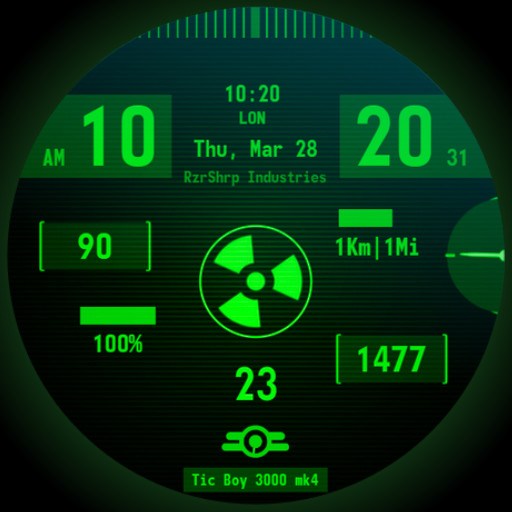
Atomic Tic Watch Face
A <font color="green">vintage wrist computer</font> watch face, full of information and highly customizable! Inspired to an old cartoon style and more, depending on the chosen customization.<br><br><font color="red"><h1>Introduction</h1></font><br>This is a native, <b>standalone Wear OS watch face</b>. This means that it can be installed on many smartwatches running this OS (like Samsung, Mobvoi Ticwatch, Fossil, Oppo, the latest Xiaomi and more). <br>It is completely handcrafted, to be unique. <br><br><font color="orange"><h1>Features</h1></font><br>The watch face includes:<br>◉ 30 <b>color</b> schemes<br>◉ Many different <b>customizations</b><br>◉ 12/24 hours format support<br>◉ A lot of information at a glance <br>◉ Customizable UI<br>◉ Walking animated avatar, different animations depending on the battery level<br>◉ 6 customizable complications, of different sizes!<br>◉ Easy to use (and uninstallable) companion app<br><br><font color="green"><h1>Installation</h1></font><br>The installation is straightforward, don't worry!<br>Here's the procedure and a quick Q&A:<br>◉ Install this app in your smartphone<br>◉ Open it, and connect your Wear OS smartwatch to your device<br>◉ If the watch is connected, you will be able to tap the "view and install on smartwatch" button. (if not, refer to the Q&A below)<br>◉ Check your watch, you should see my watch face and the install button (if you see the price instead, refer to the Q&A below)<br>◉ Install it in your smartwatch<br>◉ Long press on your current watch face<br>◉ Swipe left until you see a "+" button, tap on it<br>◉ Look for the new watch face, tap on it<br>◉ Done. If you want, you can uninstall the companion app now!<br><br><b>Q&A</b><br><b>Q</b> - I'm being charged twice! / The watch is asking me to pay again / you're a [derogatory adjective] <br><b>A</b> - Keep calm. This happens when the account you’re using on the smartphone is different from the account used on the smartwatch. You have to use the same account (else, Google has no way to know that you already bought the watch face).<br><b>Q</b> - I can't press the button in the companion app but my smartwatch is connected, why?<br><b>A</b> - Most probably, you're using an incompatible device, like an old Samsung smartwatch or any other non-Wear OS smartwatch/smartband. You can easily check on Google if your device runs Wear OS before installling any watch face. If you're sure you have a Wear OS device and still you can't press the button, open the Play Store on your watch and search for my watch face manually!<br><b>Q</b> - I have a Wear OS device, but it's not working! I'm gonna leave a one star review 😏<br><b>A</b> - Stop right there! Most definitely there's an issue on your side while following the procedure, so please just send me an email (i usually reply during the weekends) and don't damage me with a bad and misleading review!<br><b>Q</b> - The [name of a feature] is not working!<br><b>A</b> - Try setting another watch face and then set mine again, or try allowing the permissions manually (on the watch obviously). If it still doesn't work, there's an handy "email button" in the companion app!<br><br><font color="green"><h1>Support</h1></font><br>If you need help or you have a <b>suggestion</b>, feel free to send me an email, I'll do my best to help. <br>I usually reply during the weekend because I'm just one person (not a company) and I have a job, so be patient!<br>This app is <b>supported and updated</b> to fix bugs and add new features. The overall design won't change, but it will surely be improved over time!<br>I know that the price isn't the lowest, but I worked <b>a lot of hours</b> on each watch face and the price also includes the support and the updates, if you think about it. And i assure you, I'll invest any earning on useful things and to help my family. Oh, and <b>thanks</b> for reading the full description! Nobody does it!

Lihtnes Watch Face 001
Introducing our latest premium watch face for Wear OS. Our expert designers specialize in creating captivating watch faces. With vibrant colors, realistic design, and customizable complications, we bring timekeeping to life. Elevate your wristwear with style, functionality, and individuality.<br><br>An analogue watch face with a wide range of customization options, providing the ultimate experience. Introducing our exceptional watch face, packed with an array of impressive features:<br><br>✦ Explore 20 color theme options to personalize your watch face according to your preferences.<br>✦ Choose from 5 hand styles to customize the appearance of the watch hands.<br>✦ Enhance your watch face with 1 short text complications from a curated list of options.<br>✦ Experience the heart rate display.<br>✦ Seamlessly switch between 12-hour and 24-hour time displays, matching your phone's settings.<br>✦ Stay motivated with the 10K Steps goal and battery gauge display on your watch face.<br>✦ Easily keep track of the week of the year and day of the year with convenient indicators.<br>✦ Stay updated with the date, day, battery level, and step count at a glance.<br>✦ Immerse yourself in the beauty of the moon phase display, which accurately showcases its current position.<br><br>Discover the convenient Tap Links options available on our watch face:<br>✦ Benefit from fixed links that provide quick access to essential applications: ALM open Alarm app, TEL opens the Phone app, SMS launches the Messages app and CAL opens the Calendar app.<br><br>Enjoy seamless navigation and instant access to your desired functions with our Tap Links feature.<br><br>Important: This app is exclusively designed for Wear OS devices. The phone app is optional and can be uninstalled. Note that features may vary based on your watch's brand and model.<br><br>Permissions: Allow the watch face to access vital sign sensor data for precise health tracking. Authorize it to receive and display data from your chosen apps for improved functionality and customization.<br><br>Our feature-rich watch face ensures a visually appealing and functional experience, tailored to your individual preferences. Don't forget to explore our other captivating watch faces for a diverse range of options.<br><br>More from Lihtnes.com:<br>https://play.google.com/store/apps/dev?id=5556361359083606423<br><br>Visit our Website:<br>http://www.lihtnes.com<br><br>Follow us on our social media sites:<br>https://fb.me/lihtneswatchfaces<br>https://www.instagram.com/liht.nes<br>https://www.youtube.com/@lihtneswatchfaces<br>https://t.me/lihtneswatchfaces<br><br>Please feel free to send your suggestions, concerns, or ideas to: tweeec@gmail.com
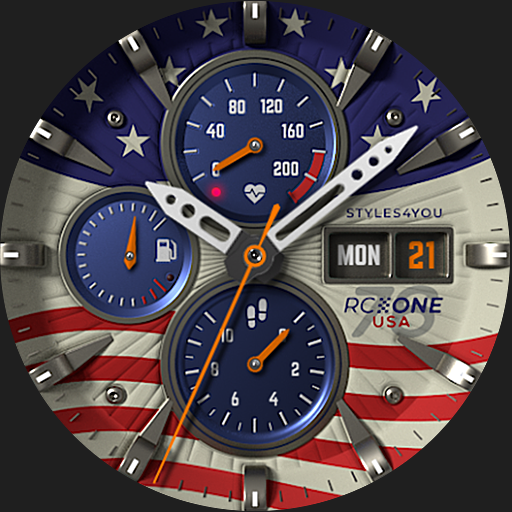
S4U RC ONE - USA watch face
****<br>⚠️ IMPORTANT: Compatibility<br>This is a Wear OS Watch Face app and supports only smartwatches running Wear OS 4 or higher (Wear OS API 35+).<br>Compatible devices include:<br>- Samsung Galaxy Watch 4, 5, 6, 7, 8 (incl. Ultra and Classic Versions)<br>- Google Pixel Watch 1–4<br>- Other Wear OS 5+ smartwatches<br><br>If you experience any issues with installation or downloading, even on a compatible smartwatch:<br>1. Open the companion app provided with your purchase.<br>2. Follow the steps in the Install/Issues section.<br><br>Still need help? Feel free to email me at wear@s4u-watches.com for support.<br>****<br><br>The "S4U RC ONE - USA" is a special Edition of the S4U RC ONE Collection. Its an realistic analog dial inspired by classic chronographs. The extraordinary 3D effect makes you feel like you are wearing a real watch. You can set up 7 custom shortcuts to get to your favorite app with just one click.<br><br>✨ Key Features:<br>- realistic analog watch face<br>- 7 individual shortcuts (reach your favorite app with just one click)<br><br>***<br><br>🕒 Data Displayed:<br><br>Display in the right area:<br>+ Weekday<br>+ Day of the month<br><br>Display on bottom:<br>+ analog Pedometer (max. 40k steps)<br>Example: Arrow at 3 = 3000 steps<br><br>Display at the left:<br>+ Battery Status 0-100%<br><br>Display on top:<br>+ Heart Rate<br><br>***<br><br>🌙 Always-On Display (AOD)<br>The watch face includes an Always-On Display feature for continuous timekeeping. <br><br>Important Notes:<br>- Using AOD will reduce battery life, depending on your smartwatch's settings.<br>- Some smartwatches can dim the AOD display differently based on their own algorithm.<br>- AOD dont use a COLORED BACKGROUND to reduce battery usage<br><br>***<br><br>🎨 CUSTOMIZATION OPTIONS<br>1. Press and hold the watch display.<br>2. Push the customize button.<br>3. Swipe left or right to switch between the different customizable objects.<br>4. Swipe up or down to change the options/color of the objects.<br><br>Options:<br>Color: 10x (for seconds hand, small hands, Day of the Month and the AOD)<br>Shadow Border: 3x<br><br>***<br><br>⚙️ COMPLICATIONS & SHORTCUTS<br>Enhance your watch face with customizable app shortcuts:<br><br>- App Shortcuts: Link to your favorite widgets for quick access.<br><br>How to Set Up Shortcuts and Complications:<br>1. Press and hold the watch display.<br>2. Tap the customize button.<br>3. Swipe right to left until you reach the "complications" section.<br>4. Tap on any of the 7 shortcuts to configure your preferred settings.<br><br>****<br><br>📬 Stay Connected<br>If you enjoy this design, be sure to check out my other creations! I’m constantly working on new watch faces for Wear OS. Visit my website to explore more:<br>🌐 https://www.s4u-watches.com<br><br>Feedback & Support<br>I’d love to hear your thoughts! Whether it’s something you like, dislike, or a suggestion for future designs, your feedback helps me improve.<br><br>📧 For direct support, email me at: wear@s4u-watches.com<br>💬 Leave a review on the Play Store to share your experience!<br><br>Follow Me on Social Media<br>Stay up to date with my latest designs and updates:<br><br>📸 Instagram: https://www.instagram.com/matze_styles4you/<br>👍 Facebook: https://www.facebook.com/styles4you<br>▶️ YouTube: https://www.youtube.com/c/styles4you-watches<br>🐦 X: https://x.com/MStyles4you

Ocean Paradise Watch Face
Escape to a tropical paradise every time you check your wrist with the Ocean Paradise Watch Face—a beautifully designed digital watch face for Wear OS. Featuring breathtaking beach scenes, swaying palm trees, and comprehensive daily tracking, this watch face brings the relaxing vibes of a summer vacation straight to your smartwatch.<br><br><b>🌅 Perfect For: </b><br>★ Beach lovers, travelers, summer enthusiasts, and anyone who wants a relaxing, scenic, and highly functional digital watch face.<br><br><b>🎉 Ideal for All Occasions: </b><br>★ Whether you're planning your next vacation, heading to the office, or simply dreaming of the ocean, this stunning tropical theme adds a refreshing and calming touch to your everyday wardrobe.<br><br><b>✨ Key Features: </b> <br>★ Scenic Tropical Backgrounds: High-quality, vibrant landscapes featuring gorgeous ocean sunsets, clear blue waters, wooden docks, and relaxing palm tree silhouettes. <br>★ Comprehensive Digital Display: Crisp presentation of time, date, step counter, calories burned, distance traveled, battery level, and a sleek weather panel securely housed in beautiful translucent layouts <br>★ Always-On Display (AOD) Support: A masterfully optimized dark mode that keeps your essential daily stats smartly visible while preserving your battery life.<br>★ Optimized for smooth, reliable, and battery-efficient performance on all modern Wear OS devices.<br><br><b> ⚙️ Phone App Features </b><br>★ The mobile app acts as a companion tool to help easily install and locate the watch face on your Wear OS smartwatch.<br><br><b>⚙️ Watch Face Features </b><br>• 12/24h Digital Time <br>• Date & Day Display <br>• Step Counter <br>• Calories Burned Estimate <br>• Distance Tracker (KM) <br>• Battery Level Indicator <br>• Integrated Weather Display <br>• Stunning High-Def Tropical Beach Backgrounds <br>• Always-On Display (AOD) Support<br><br><b>📲 Installation Instructions : </b><br>1. Open the Companion App on your phone.<br>2. Tap "Install on Watch." On your watch, select Ocean Paradise Watch Face from your settings or gallery.<br><br><b> ✅ Compatibility: </b><br>★ Works seamlessly with all Wear OS devices (API 33+), including Google Pixel Watch & Samsung Galaxy Watch. <br>❌ Not suitable for rectangular watches.<br><br>★Carry the serenity of a tropical island with you everywhere. Upgrade your smartwatch aesthetic with the beautifully relaxing Ocean Paradise Watch Face today ! 🌴🌊

Old School Watch Face
📱 COMPATIBLE: Samsung Galaxy Watch 8, Ultra, 7, 6, 5 | Google Pixel Watch 4, 3, 2 | All Wear OS 6+ smartwatches<br><br>⌚ Old School brings the elegance of traditional analog design to your smartwatch with a clean retro look.<br><br>✨ KEY FEATURES:<br>• 🕰 Analog Time<br>• 📅 Full Calendar<br>• 🔋 Battery Level %<br>• Clean Retro Look<br>• 🌙 AOD Support<br>• ✅ Wear OS Optimized<br><br>🎯 PERFECT FOR:<br>• Lovers of classic style<br>• Minimalists<br><br><br>⚠️ Note: The watch face may take up to 15 minutes to appear. Search in Play Store on your watch if needed.
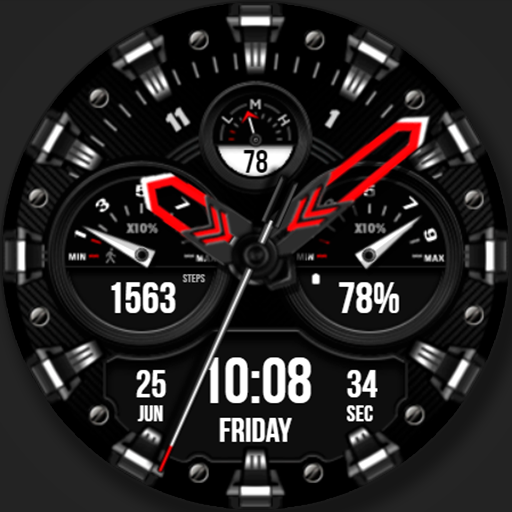
WFP 225 Hybrid watch face
This watch face supports Wear OS devices.<br><br>Watch face installation instructions:<br>https://samsung-watchface.com/instructions<br><br>Watch face settings and recommendations:<br>https://samsung-watchface.com/settings<br><br>Promotion - Buy 1 - Get 1 free:<br>https://samsung-watchface.com/buy1-get1<br><br>FEATURES><br>- Night mode;<br>- A high resolution;<br>- High optimization;<br>- Low battery consumption;<br>- Multilingual;<br>- 12/24 hour time format;<br>- Changeable colors;<br>- Custom applications and widgets;<br>- Customizable AOD mode.<br><br>FOLLOW THE NEWS AND PROMOTIONS:<br><br>WEB:<br>https://samsung-watchface.com<br><br>TELEGRAM:<br>https://t.me/SamsungWFP<br><br>FACEBOOK:<br>https://www.facebook.com/groups/wearoswatchfaces<br><br>INSTAGRAM:<br>https://www.instagram.com/wearos_watchfaces?igsh=ZGhoOXQwMjV4MWEw<br><br>Sincerely, Alexandr Kovalev.

Candy Time Watch Face
📱 COMPATIBLE: Samsung Galaxy Watch 8, Ultra, 7, 6, 5 | Google Pixel Watch 4, 3, 2 | All Wear OS 6+ smartwatches<br><br>⌚ Candy Time brings a burst of sweetness to your wrist! Inspired by colorful candies and lollipops, this digital watch face is vibrant, fun, and energetic. It's the perfect way to brighten up your day.<br><br>🎨 SUGAR RUSH:<br>Enjoy a delightful palette of bright colors that pop on your screen. The bold digital digits are easy to read, and the playful layout brings positive vibes. Whether you're young or young at heart, Candy Time adds flavor to your style.<br><br>✨ KEY FEATURES:<br>🍬 Candy Design – Sweet and vibrant aesthetics<br>🕒 Digital Time – Bold and colorful digits<br>📅 Date Info – Clear day and date<br>🔋 Battery Level – Handy power indicator<br>🎨 Color Themes – Mix and match your favorites<br>🌙 AOD Support – Maintains the vibe in low power mode<br>✅ Wear OS Optimized – Fast and efficient<br><br>🎯 PERFECT FOR:<br>• Fans of bright colors and fun designs<br>• Anyone wanting a cheerful watch face<br>• Galaxy Watch 8, Pixel Watch 4 owners<br><br>⚠️ Note: The watch face may take up to 15 minutes to appear. Search in Play Store on your watch if needed.

Animated Earth Watchfaces
Animated Earth Watchfaces is a watch face app that brings stunning animations of the earth to your smartwatch. With this app, you can choose from a variety of beautiful and mesmerizing animations of the Earth in motion but initially we provide single watch face in watch app for discover more watchface you have to download mobile application of Animated Earth Watchfaces and then you can apply different watchface from there.<br><br>Animated Earth Watchfaces has got you covered with a variety of watch faces when you have mobile and watch both application installed. <br><br>The app offers digital watchfaces. The app is compatible with a wide range of smartwatches. With its simple and intuitive user interface, you can easily switch between watch faces and customize your shortcut settings with just a few taps. You can set settings, flashlight, translate, alarm, and others in the shortcut settings. <br><br>Overall, Animated Earth Watchfaces is a must-have app for anyone who loves beautiful and informative watch faces. Download it today and bring the beauty of the Earth to your wrist.<br><br>Set Animated Earth Watchfaces theme for your android wear OS watch and enjoy.<br><b>How to Set?</b><br>Step 1: Install Android app in mobile device & wear OS app in watch.<br>Step 2: Select Watch face on mobile app it will show preview on next individual screen. (you can see selected watch face preview on screen).<br>Step 3: Click on "Tap to sync Face" Button on mobile app to set watch face in Watch.<br><br>Please note that we as application publisher don't have control over download & installation issue, We have tested this app in real device (Fossil Model Carlyle HR, android wear OS 2.23).<br><br>Disclaimer : Initially we provide only single watch face on wear os watch but for more watchface you have to download mobile app as well and from that mobile app you can apply different watchface on watch.
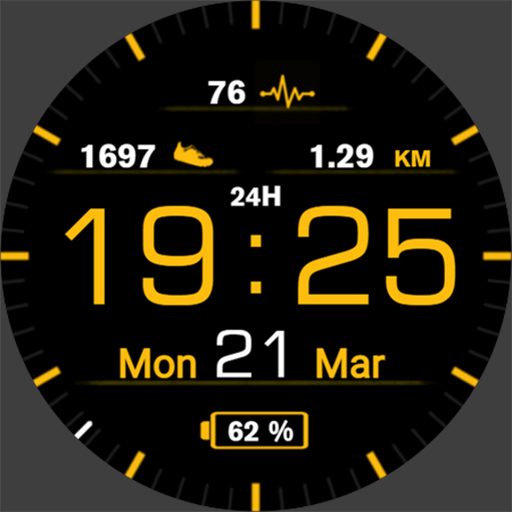
Casual Watchface AKM Wear OS
Hey❗This is a Casual Watchface designed for all watches powered by <b>Wear OS</b>.<br><br>❗Customizable version of this watchface is now available! Check portfolio for Casual Watch, or download from Companion App.❗<br><br>❗<b>IMPORTANT NOTICE:</b><br>❗Please carefully read these instructions before and after downloading our watch face to avoid any unexpected issues.<br><br>Compatibility:<br>This watch face has been extensively tested on the Samsung Watch 4 Classic and Samsung Watch 5 Pro. <br>It is also compatible with other Wear OS 3+ devices. <br>However, please note that some features may vary slightly on different watch models.<br><br>⭐Installation instructions⭐<br><b>METHOD 1: COMPANION APPLICATION, PREFFERED WAY</b><br>🔹Open the Companion application on your phone (comes with the watchface).<br>🔹Locate the "Get from Watch" option and tap on it.<br>🔹Check your smartwatch for the watch face.<br>🔹Once the watch face appears on your smartwatch, tap the "INSTALL" button.<br>🔹Wait a few minutes for the watch face to be transferred to your smartwatch.<br>🔹Long press on the watch face, swipe left, and tap "ADD WATCH FACE" to activate it.<br><br><b>METHOD 2: PLAY STORE APPLICATION</b><br>❗THIS METHOD IS NOT ALWAYS SUPPORTED BY PLAY STORE❗<br>🔹Open the Google Play Store app on your phone.<br>🔹Tap the triangle icon and select the target device from the drop-down menu.<br>🔹Tap the "INSTALL" button on your phone and wait for the installation to complete on your watch.<br>🔹Long press on the watch face, swipe left, tap "ADD WATCH FACE" and select the watch face to activate it.<br><br><b>METHOD 3: PLAY STORE WEBSITE</b><br>🔹Access the watch face link using a web browser on your PC.<br>🔹Click on "Install on more devices" and select your watch from the target device list.<br>🔹Wait for the watch face to be transferred to your watch.<br>🔹Long press on the watch face, swipe left, tap "ADD WATCH FACE" and select the watch face to activate it.<br><br><b>REFFERING TO THE INSTALLATION GUIDE</b><br>🔹For a detailed and comprehensive installation guide, please visit this link:<br>https://developer.samsung.com/sdp/blog/en-us/2022/11/15/install-watch-faces-for-galaxy-watch5-and-one-ui-watch-45<br><br>❗<b>AVOIDING DUPLICATE PAYMENTS</b><br>Please note that you will only be charged once for the watch face, even if you are prompted to pay again. <br>If you encounter a payment loop, try disconnecting and reconnecting your watch from your phone. <br>Alternatively, enable airplane mode on your watch and reactivate it after a few minutes.<br><br>Once you have installed the watchface, you may be asked to grant permissions to the sensors - be sure to approve all permissions.<br><br>❗ Please consider that any issues here are NOT developer dependent. The developer has no control over the Play Store from this side. Thank you. ❗<br><br>⭐What is inside⭐<br>✔ 9 different color themes (TAP and hold on the watchface, then set Customize);<br>✔ All languages are supported for Date indication (based on language phone settings);<br>✔ Distance indication Km or Miles, based on language phone settings<br>(miles UK and US only);<br>✔ 12/24 time format;<br>✔ Tap zones: Alarm, Calendar and Heart rate measurement (interval set to 10 min);<br>✔ AOD mode;<br><br>❗ Dear customer<br>If you have any problems, please contact me first via e-mail <b>akchimwf@gmail.com</b> <br>Then I surely will help you asap❗
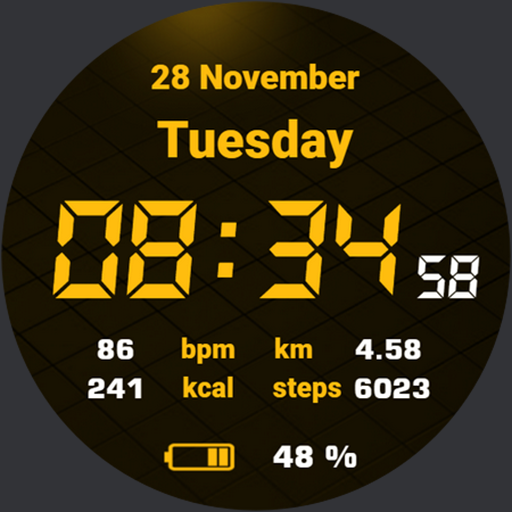
Quick Watchface AKM Wear OS
Hey❗This is Quick Digital Watchface designed for all watches powered by <b>Wear OS</b>.<br><br>❗Customizable version of this watchface is now available! Check portfolio for Quick Watch AKM, or download from Companion App.❗<br><br>❗<b>IMPORTANT NOTICE:</b><br>❗Please carefully read these instructions before and after downloading our watch face to avoid any unexpected issues.<br><br>Compatibility:<br>This watch face has been extensively tested on the Samsung Watch 4 Classic and Samsung Watch 5 Pro. <br>It is also compatible with other Wear OS 3+ devices. <br>However, please note that some features may vary slightly on different watch models.<br><br>⭐Installation instructions⭐<br><b>METHOD 1: COMPANION APPLICATION, PREFFERED WAY</b><br>🔹Open the Companion application on your phone (comes with the watchface).<br>🔹Locate the "Get from Watch" option and tap on it.<br>🔹Check your smartwatch for the watch face.<br>🔹Once the watch face appears on your smartwatch, tap the "INSTALL" button.<br>🔹Wait a few minutes for the watch face to be transferred to your smartwatch.<br>🔹Long press on the watch face, swipe left, and tap "ADD WATCH FACE" to activate it.<br><br><b>METHOD 2: PLAY STORE APPLICATION</b><br>❗THIS METHOD IS NOT ALWAYS SUPPORTED BY PLAY STORE❗<br>🔹Open the Google Play Store app on your phone.<br>🔹Tap the triangle icon and select the target device from the drop-down menu.<br>🔹Tap the "INSTALL" button on your phone and wait for the installation to complete on your watch.<br>🔹Long press on the watch face, swipe left, tap "ADD WATCH FACE" and select the watch face to activate it.<br><br><b>METHOD 3: PLAY STORE WEBSITE</b><br>🔹Access the watch face link using a web browser on your PC.<br>🔹Click on "Install on more devices" and select your watch from the target device list.<br>🔹Wait for the watch face to be transferred to your watch.<br>🔹Long press on the watch face, swipe left, tap "ADD WATCH FACE" and select the watch face to activate it.<br><br><b>REFFERING TO THE INSTALLATION GUIDE</b><br>🔹For a detailed and comprehensive installation guide, please visit this link:<br>https://developer.samsung.com/sdp/blog/en-us/2022/11/15/install-watch-faces-for-galaxy-watch5-and-one-ui-watch-45<br><br>❗<b>AVOIDING DUPLICATE PAYMENTS</b><br>Please note that you will only be charged once for the watch face, even if you are prompted to pay again. <br>If you encounter a payment loop, try disconnecting and reconnecting your watch from your phone. <br>Alternatively, enable airplane mode on your watch and reactivate it after a few minutes.<br><br>Once you have installed the watchface, you may be asked to grant permissions to the sensors - be sure to approve all permissions.<br><br>❗ Please consider that any issues here are NOT developer dependent. The developer has no control over the Play Store from this side. Thank you. ❗<br><br>⭐What is inside⭐<br>✔ minimalistic design;<br>✔ 9 different color themes (change color in watchface settings);<br>✔ multilingual (based on language phone settings);<br>✔ 12/24 time format;<br>✔ Tap zones: Alarm and Calendar;<br>✔ AOD mode;<br><br>❗ Dear customer<br>If you have any problems, please contact me first via e-mail <b>akchimwf@gmail.com</b> <br>Then I gladly will help you asap❗

VS Illumination
Excellent choice! Welcome.<br><br>This hybrid watchface is for Wear OS smartwatches and it has a lot of options:<br><br>- 12/24h autochange<br>- Multilanguage Date<br>- Complications<br>- Tap zones<br>- Charge and steps<br>- Date<br>- AOD mode<br>- Hybrid design<br>- Changeable colors and many other (check pics please).<br><br>Also you can find many interesting here<br>https://play.google.com/store/apps/dev?id=6539102613063605904<br><br><br>And your every feedback is very valuable to us. Thank you!
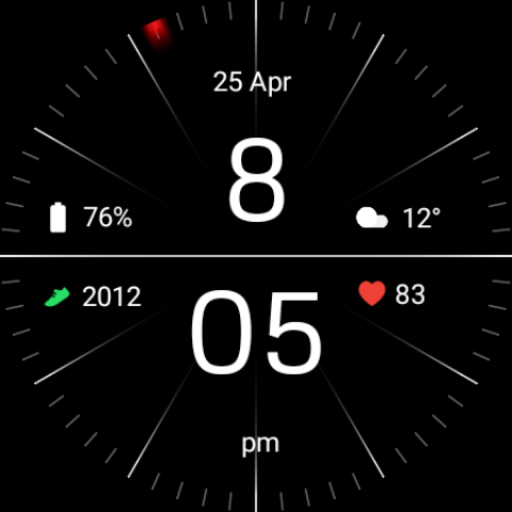
Minimal Black Watch Face
Installing Regarder Minimal Black watch face is easy:<br><br>Just open the Mobile Companion app and follow the instructions there.<br>In case this does not work. You can use a PC and install it from there<br><br>If this option still does not work you can install the watch face from your wear OS Device, here are the instructions:<br><br>1. On your Wear OS smartwatch, open the Google Play Store.<br>2. Search for "Regarder Minimal Black" and select the app from the search results.<br>3. Tap "Install" to begin the installation process.<br>4. Once the installation is complete, you can find the watch face in the "Watch Faces" section of your smartwatch's settings.<br>5. Select Regarder Minimal Black as your active watch face.

Digital Butterfly Watch face
Flutter in style with the Digital Butterfly Watch Face !<br><br>Perfect for ladies, girls, and butterfly lovers, this elegant watch face adds charm to your wrist. <br><br>Embrace the beauty of nature with the Digital Butterfly Watch Face, specially designed for ladies and girls who love butterflies. This charming Wear OS watch face combines elegance with digital precision, offering a stunning visual experience for butterfly lovers. Whether you're celebrating your love for nature or simply want to add a touch of grace to your everyday style, this watch face is perfect for you. <br> <br>⚙️ Watch Face Features<br>• Beautiful butterfly-inspired design<br>• Suited for butterfly lovers, ladies, and girls<br>• Background Themes<br>• Date, month and day of the week.<br>• Ambient Mode<br>• Always-on Display (AOD)<br><br>🔋 Battery<br><br>For better battery performance of the watch, we recommend disabling the "Always On Display" mode.<br><br>After installing the Digital Butterfly Watch face , follow these steps:<br><br>1.Open the Companion App on your phone.<br>2.Tap "Install on Watch".<br>3.On your watch, select the Digital Butterfly Watch face from your settings or watch face gallery.<br><br>Your watch face is now ready to use !<br><br><br>✅ Compatible with all Wear OS devices API 33+ including such as Google Pixel Watch, Samsung Galaxy Watch etc.<br>Not suitable for rectangular watches.<br><br>Thank you !
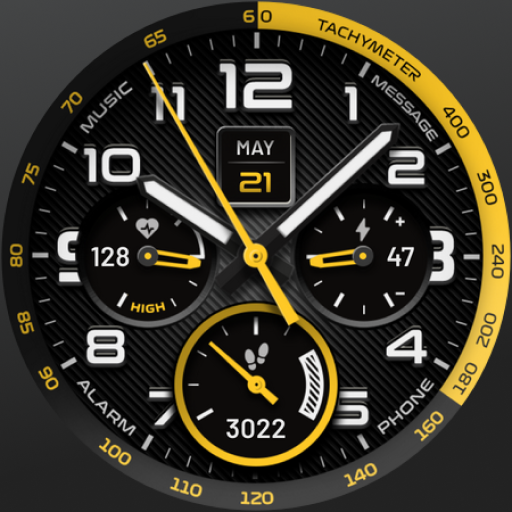
High Sports Analog Watch Face
This analog watch face for your Wear OS smartwatch features customizable colors, 3 backgrounds, and multiple app shortcuts for style and functionality.<br><br>Compatible with Galaxy Watch7, Ultra, Google Pixel Watch 3, and OnePlus Watch 3. <br><br>FEATURES<br>- Multiple color options<br>- Analog style<br>- Day and date<br>- Battery level indicator<br>- Step counter<br>- Heart rate monitor<br><br>SHORTCUTS<br>- Phone<br>- Alarm<br>- Heart rate<br>- Steps<br>- Message<br>- Calendar<br>- Music Player<br><br>This is a Google Watch Face Format version of the HIGH N.23 face on Facer where there are 500k+ faces available for most watches! Check out www.facer.io for more info.<br><br>FEEDBACK & TROUBLESHOOTING<br>If you’re having any issues using our app & watch faces or are dissatisfied in any way, please give us a chance to fix it for you before expressing dissatisfaction through ratings. <br>You can send feedback directly to support@facer.io <br>If you are enjoying our watch faces, we always appreciate a positive review.
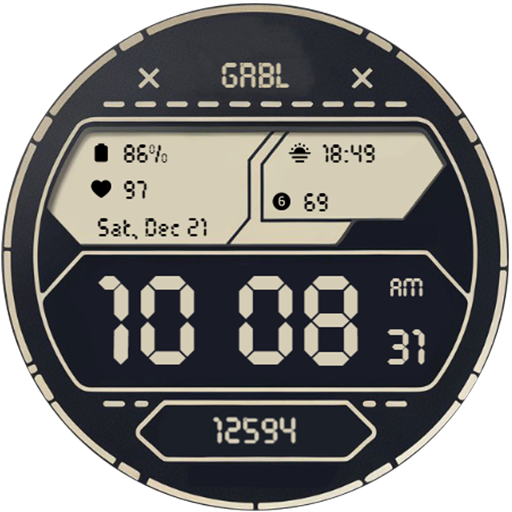
GRBL Digital Two Watch Face
<big>Features:</big><br>Designed for Wear OS<br><br>1. Supports AM/PM and 12H/24H format<br>2. 5 changeable complications <br>3. 11 themes<br>4. Date (format change base on user's locale)<br>5. Theme-colored AOD<br>6. Blinking colon<br><br>If you face any problem, please reach out to us at grubel.watchfaces@gmail.com. We’ll gladly provide screenshots and step-by-step instructions to help you install the watch face.<br>Watch faces do not change automatically after installation. To set it up, return to the home display, tap and hold, swipe to the end, and tap ‘+’ to add the watch face. Use the bezel to find it.<br><br>Samsung Developers offer a helpful video showing multiple ways to install a Wear OS watch face:<br><br>https://youtu.be/vMM4Q2-rqoM<br><br>PLEASE KEEP IN MIND THAT THE COMPANION APP DOESN'T INSTALL WATCHFACE ON THE WATCH. PLEASE READ INSTRUCTIONS BELOW.<br><br>There are two ways to install this watchaface to your WearOS device:<br><br>From PLAY STORE APP:<br>1. Use the drop-down menu and select the target<br>device on the PLAY STORE APP:<br>after a few minutes the watch face will transferred on<br>watch.<br>2- ACTIVATE WATCH FACE:<br>Once installed, you need to activate the watch face.<br>Long press screen, swipe left and tap "ADD WATCH<br>FACE" to activate it.<br><br>From PLAY STORE WEBSITE:<br>1 - Go to the watch face link through a Web Browser on<br>PC / Mac such as Chrome, Safari (etc.). You can search<br>the watch face name on Play Store.<br>Click on "Install on more devices" and select the target<br>device:<br>after a few minutes the watch face will transferred on<br>watch.<br>2- ACTIVATE WATCH FACE:<br>Once installed, you need to activate the watch face.<br>Long press screen, swipe left and tap "ADD WATCH<br>FACE" to activate it.<br><br><br>Before drop a negative feedback (1 star) on Play Store please read the guide carefully or contact me:<br>grubel.watchfaces@gmail.com<br><br><br><br><br><big>Disclaimer: </big><br>Each device offers different custom complications, and selection varies by third-party apps. Custom complications shown in store screenshots come from third-party app - Phone Battery Complication<br><br>Please keep in mind that any issues on this side are<br>not caused by the developer/watchface. I have no<br>control over Google's issues.<br>Before drop a negative feedback (1 star) on Play Store<br>for these reasons, please read the guide carefully or<br>contact me:<br>grubel.watchfaces@gmail.com

Digital Informer: Watch face
<b>Only for Wear OS 4+ devices</b><br><br><font color="#897eff"><i>Powered by <b>Watch Face Format 4</b></i></font><br><br><big><b><a href="https://www.google.com/url?q=https%3A%2F%2Famoledwatchfaces.com&sa=D&sntz=1&usg=AOvVaw351EA2hKuGQCFOrAwqOZ-4">amoledwatchfaces.com</a></b></big><br><br><big><b><font color="#fd5f00">BUY ONE GET ONE OFFER</font></b></big><br><b><a href="https://www.google.com/url?q=https%3A%2F%2Famoledwatchfaces.com%2Fbogo&sa=D&sntz=1&usg=AOvVaw14p8AKM9q3UNr3BFxMVn7h">amoledwatchfaces.com/bogo</a></b><br><br><big><b><font color="#fd5f00">CUSTOM COMPLICATION APPS</font></b></big><br><b><a href="https://www.google.com/url?q=https%3A%2F%2Famoledwatchfaces.com%2Fapps&sa=D&sntz=1&usg=AOvVaw332c_tXcBcNqVOa3KP7NOC">amoledwatchfaces.com/apps</a></b><br><br><font color="#897eff"><big><b>FEATURES</b></big></font><br><br><b>Modern Aesthetics</b><br>Crisp digital display with Material You design seamlessly blends with your device's theme. Choose from captivating mesh backgrounds.<br><br><b>Unmatched Customization</b><br>Explore 30+ color themes to match your mood or outfit. True black background ensures clarity and battery efficiency. High-resolution visuals shine on any smartwatch.<br><br><b>Enhanced Functionality</b><br>PNGQuant optimization keeps things smooth and battery-friendly. 8 customizable complications keep you informed at a glance. The unique ambient mode uses less power while maintaining a stylish display with adaptive color.<br><br><b>Express yourself. Stay informed. This watch face does it all.</b><br><br><font color="#897eff"><big><b>USER CONFIGURATIONS</b></big></font><br><br>• White Hours (Toggle)<br>• Theme, SubTheme (30+)<br>• Mesh Background (5x)<br>• AOD (Style - 2x)<br>• Am-Pm-Notifications Indicator (Toggle)<br>• Bold Minutes (Toggle)<br>• Progress Bars Tint (Toggle)<br>• Custom complications <br><br>Installation and troubleshooting guide<br><b><a href="https://www.google.com/url?q=https%3A%2F%2Famoledwatchfaces.com%2Fguide&sa=D&sntz=1&usg=AOvVaw0zOFR26IvrkzArG6O2DKmO">amoledwatchfaces.com/guide</a></b><br><br>Please send any issues reports or help requests to our support address<br><b><a href="mailto:support@amoledwatchfaces.com">support@amoledwatchfaces.com</a></b><br><br>Join our Telegram group for live support and discussion<br><b><a href="https://www.google.com/url?q=https%3A%2F%2Ft.me%2Famoledwatchfaces&sa=D&sntz=1&usg=AOvVaw2_1_2GFU-QaMauLvtJgiw-">t.me/amoledwatchfaces</a></b><br><br>Newsletter<br><b><a href="https://www.google.com/url?q=https%3A%2F%2Famoledwatchfaces.com%2Fcontact%23newsletter&sa=D&sntz=1&usg=AOvVaw14LrTz_wD0vHb-o8AI-CIJ">amoledwatchfaces.com/contact#newsletter</a></b><br><br><i>amoledwatchfaces™ - Awf</i>
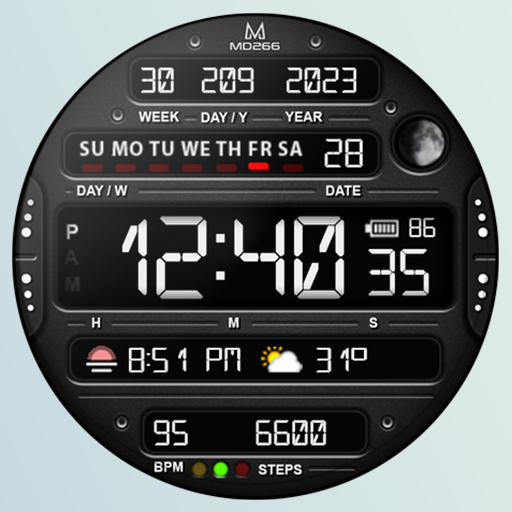
MD266 Classic Watch Face
<b>Note for Galaxy Watch Users: <br><br>The watch face editor in the Samsung Wearable app often fails to load COMPLEX watch faces like this one. <br><br>This is not an issue with the watch face itself. <br><br>It is recommended to customize the watch face directly on the watch until Samsung resolves this issue.<br><br>TAP AND HOLD SCREEN ON WATCH AND SELECT CUSTOMIZE.</b><br><br><b>New Watch Face Format</b><br><br>It contains 3 Preset App shortcuts, 2 customizable shortcuts, 2 customizable complications where you can have the data you prefer like weather, barometer, uv index, chanche of rain etc.<br><br><b>INSTALLATION NOTES:</b><br><br>Please check this link for installation and troubleshooting guide:<br>https://www.matteodinimd.com/watchface-installation/<br><br><b>This watch face supports all Wear OS devices with API Level 33+ (Wear OS 4 and later versions) like Samsung Galaxy Watch 4-8, Ultra, Pixel Watch etc.</b><br><br>Features:<br><br>- 12/24hr based on phone settings<br>- Date <br>- Day<br>- Year<br>- Week of year<br>- Day of year<br>- Battery<br>- Steps<br>- Moon Phase<br>- Heart Rate + Intervals<br>- 3 Preset app shortcuts<br>- 2 customizable shortcuts<br>- 2 customizable complications<br>- Changeable colors of time, seconds, date and general colors.<br><br>Customization:<br><br>1 - Touch and hold display<br>2 - Tap on customize option<br><br>Preset APP Shortcuts:<br><br>- Calendar<br>- Battery<br>- Measure Heart Rate<br><br>Complications:<br><br>you can customize the watch face with the any data you want.<br><br>For example, you can select weather, world clock, barometer etc.<br><br>**some features may not be available on some watches.<br><br><br>Let's keep in touch !<br><br><b>Matteo Dini MD ® is a well-known and ultra-awarded brand in the watch faces world!</b><br><br>Some references:<br><br><b>Best of Galaxy Store Awards 2019 Winner:</b><br>https://developer.samsung.com/sdp/blog/en-us/2020/05/26/best-of-galaxy-store-awards-2019-winner-matteo-dini-on-building-a-successful-brand<br><br><b>Samsung mobile press:</b><br>https://www.samsungmobilepress.com/feature-stories/samsung-celebrates-best-of-galaxy-store-awards-at-sdc-2019<br><br><b>Matteo Dini MD ® is also a registered trademark in the United States and Europe.</b><br><br><b>Newsletter:</b><br>Sign up to stay updated with new watchfaces and promotions!<br>http://eepurl.com/hlRcvf<br><br><b>FACEBOOK:</b><br>https://www.facebook.com/matteodiniwatchfaces<br><br><b>INSTAGRAM:</b><br>https://www.instagram.com/mdwatchfaces/<br><br><b>TELEGRAM:</b><br>https://t.me/mdwatchfaces<br><br><b>WEB:</b><br>https://www.matteodinimd.com<br><br>Thank you!
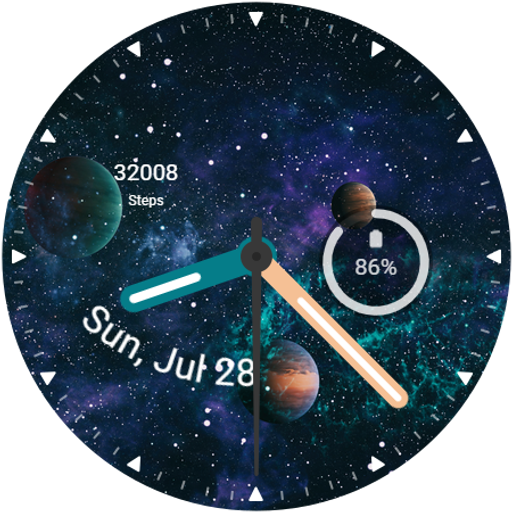
3D Galaxy Watch Face
3D Galaxy Watch Face: Experience stunning 3D designs for a dynamic look <br><br>⚙️ Watch Face Features<br>• Date, month and day of the week.<br>• Battery<br>• Steps Count<br>• Customizable Complications<br>• Color Variations<br><br><br>🎨 3D Galaxy Watch Face Customization<br><br>1 - Touch and hold display<br>2 - Tap on Customize option<br><br>🎨 3D Galaxy Watch Face Complications<br><br>Touch and hold display to open customization mode. You can customize the field with any data you want<br><br>✅ Compatible with all Wear OS devices such as Google Pixel Watch, Samsung Galaxy Watch etc.<br>Not suitable for rectangular watches.<br><br>Thank you!
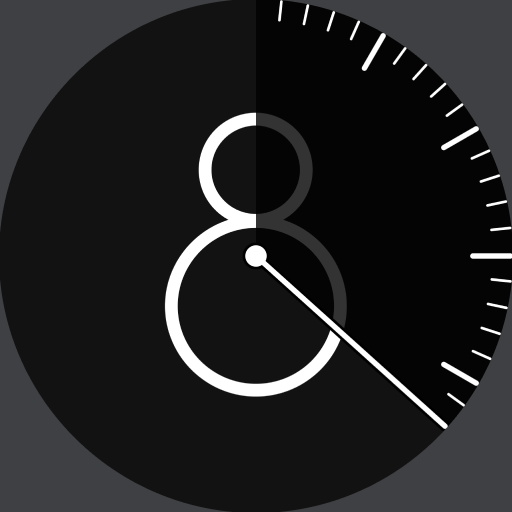
Vanishing Hour - Watch Face
<i><font color="#987FFC">Developed with <b>Watch Face Format</b></font></i><br><br>Vanishing Hour is a Wear OS watch face produced in an official collaboration between Layton Diament and Luka Kilic. It features a centered view of the current hour, which “vanishes” as the minute hand moves forward. The concept is a bold, elegant hybrid of a digital and analog clock — and serves as a subtle reminder of how quickly time passes.<br><br>The original design was a finalist in a contest for the Moto 360 watch in 2014. You can read more about it at: https://www.diament.co/post/vanishing-hour-watch-face<br><br><b><font color="#1CB173">CUSTOMIZATION</font></b><br>- 🎨 Color Themes (10x)<br>- 🕰 Vanish Styles (3x)<br>- 🕓 Hand Styles (2x)<br>- ⚫ Grey/Black Background<br>- 🔧 Customizable Complication (1x)<br>- ⌛ 12/24H Format (On/Off)<br><br><b><font color="#1CB173">FEATURES</font></b><br>- 🔋 Battery Efficient<br>- 🖋️ Unique Design<br>- ⌚ AOD Support<br>- 📷 High Resolution<br><br><b><font color="#EF930A">COMPANION APP</font></b><br><br>The phone app is there to help you with the installation and setting up the watch face on your smartwatch. Optionally, you can activate notifications to stay informed about updates, campaigns, and new watch faces. <br><br><b><font color="#EF930A">CONTACT</font></b><br><br>Please send any issue reports or help requests to:<br><br>designs.watchface@gmail.com<br><br><br><i>Vanishing Hour by Layton Diament and Luka Kilic</i>

Bloom Flower Watch Face
Bloom Flower Watch Face brings nature's beauty to your wrist with<br>elegance for ladies.<br><br>Bloom Flower Watch Face for ladies(women), providing a special and awesome look.<br><br>Each floral design exudes charm, making it ideal for everyday wear or<br>special occasions. Perfect for women looking for a stylish yet<br>practical watch face that adds a touch of elegance to their day.<br><br><br>⚙️ Watch Face Features<br>• Background Themes<br>• Date, month and day of the week.<br>• Heart Rate<br>• Battery %<br>• Steps Counter<br>• Color Variations<br>• Ambient Mode<br>• Always-on Display (AOD)<br><br>🔋 Battery<br>For better battery performance of the watch, we recommend disabling<br>the "Always On Display" mode.<br><br>After installing the Bloom Flower Watch Face , follow these steps:<br><br>1.Open the Companion App on your phone.<br>2.Tap "Install on Watch".<br>3.On your watch, select the Bloom Flower Watch Face from your settings<br>or watch face gallery.<br><br>Your watch face is now ready to use !<br><br><br>✅ Compatible with all Wear OS devices API 33+ including such as Google<br>Pixel Watch, Samsung Galaxy Watch etc.<br>Not suitable for rectangular watches.<br><br>Thank you !

Orbit Time Watch Face
📱 COMPATIBLE: Samsung Galaxy Watch 8, Ultra, 7, 6, 5 | Google Pixel Watch 4, 3, 2 | All Wear OS 6+ smartwatches<br><br>⌚ Orbit Time brings the wonders of space to your wrist with a clean and functional cosmic design.<br><br>✨ KEY FEATURES:<br>• 🔋 Battery Level %<br>• ❤️ Heart Rate<br>• 📅 Date & Day<br>• 🚶 Step Counter<br>• Minimalist Cosmic Design<br>• 🌙 AOD Support<br>• ✅ Wear OS Optimized<br><br>🎯 PERFECT FOR:<br>• Fans of modern design<br>• Minimalists<br><br><br>⚠️ Note: The watch face may take up to 15 minutes to appear. Search in Play Store on your watch if needed.
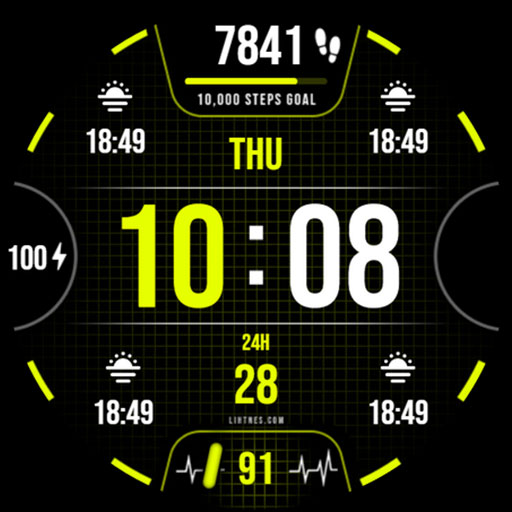
Health Watch Face 044
Introducing our latest premium watch face for Wear OS. Our expert designers specialize in creating captivating watch faces. With vibrant colors, realistic design, and customizable complications, we bring timekeeping to life. Elevate your wristwear with style, functionality, and individuality.<br><br>Features:<br>✦ Explore 30 color theme options to personalize your watch face according to your preferences.<br>✦ Enhance your watch face with 4 short text / Range value complications from a curated list of options.<br>✦ Add visual interest with 1 icon / Small image complications from a diverse selection of choices.<br>✦ Experience the heart rate display.<br>✦ Seamlessly switch between 12-hour and 24-hour time displays, matching your phone's settings.<br>✦ Stay motivated with the 10K Steps goal and battery display on your watch face.<br>✦ Stay updated with the date, day, battery level, and step count at a glance.<br>✦ The optimized bright always-on (AOD) mode offers a better and pleasing appearance, especially during the night.<br><br>Important: This app is exclusively designed for Wear OS devices. The phone app is optional and can be uninstalled. Note that features may vary based on your watch's brand and model.<br><br>Permissions: Allow the watch face to access vital sign sensor data for precise health tracking. Authorize it to receive and display data from your chosen apps for improved functionality and customization.<br><br>Our feature-rich watch face ensures a visually appealing and functional experience, tailored to your individual preferences. Don't forget to explore our other captivating watch faces for a diverse range of options.<br><br>More from Lihtnes.com:<br>https://play.google.com/store/apps/dev?id=5556361359083606423<br><br>Visit our Website:<br>http://www.lihtnes.com<br><br>Follow us on our social media sites:<br>https://fb.me/lihtneswatchfaces<br>https://www.instagram.com/liht.nes<br>https://www.youtube.com/@lihtneswatchfaces<br>https://t.me/lihtneswatchfaces<br><br>Please feel free to send your suggestions, concerns, or ideas to: tweeec@gmail.com
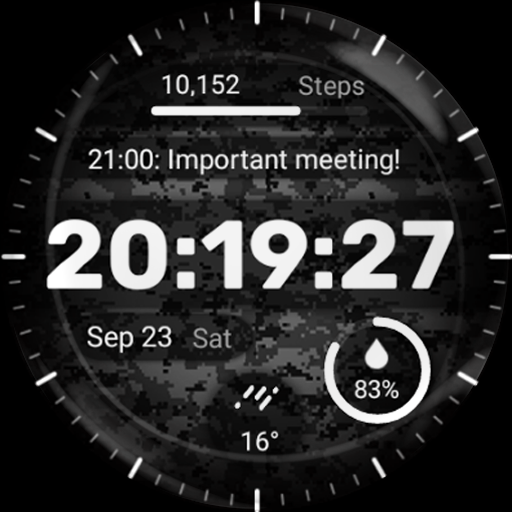
Military Watch Face - F01
Key features of the Military Watch Face include:<br><br>- Camouflage Design: The watch face showcases a range of authentic camouflage patterns, allowing you to express your unique style and appreciation for military-inspired fashion.<br><br>- 4x Customizable Complications: Stay informed at a glance with customizable complications that display useful information such as date, weather, steps taken, heart rate, and more. With the Military Watch Face, you can even customize up to three different complications according to your preferences.<br><br>Installation Guide: Ensure a smooth setup with this step-by-step guide: Watch [Installation Guide 📣](https://tinyurl.com/4p9rcmww).<br><br>Enjoy the specially designed Always On Display ambient mode, conserving power during idle times. Please note that this feature may consume more battery. ⚡<br><br>Manual Installation: In case of automatic installation issues, follow these steps:<br>1. Ensure your watch is connected to Wi-Fi. 📶<br>2. Visit the Play Store on your watch. 🛒<br>3. Tap "More on devices" (if available). 📲<br>4. Click "Install" next to your watch on the list. This will immediately install the watch face. 🔄<br>5. If you encounter issues, wait for up to 1 hour for the "Install" button to reset. ⏳
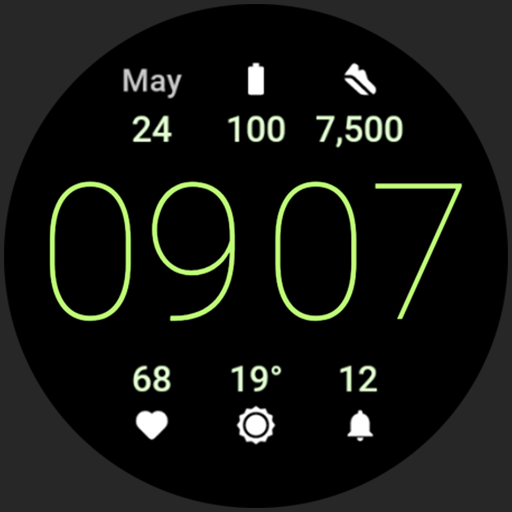
Simple Digital Watch Face
<b>Only for Wear OS devices - API 28+</b><br><br><font color="#897eff"><i>Powered by <b>Watch Face Format</b></i></font><br><br><big><b><a href="https://www.google.com/url?q=https%3A%2F%2Famoledwatchfaces.com&sa=D&sntz=1&usg=AOvVaw351EA2hKuGQCFOrAwqOZ-4">amoledwatchfaces.com</a></b></big><br><br><big><b><font color="#fd5f00">CUSTOM COMPLICATION APPS</font></b></big><br><b><a href="https://www.google.com/url?q=https%3A%2F%2Famoledwatchfaces.com%2Fapps&sa=D&sntz=1&usg=AOvVaw332c_tXcBcNqVOa3KP7NOC">amoledwatchfaces.com/apps</a></b><br><br><font color="#897eff"><big><b>FEATURES</b></big></font><br><br>• Watch Face Format 3<br>• flavors feature support (Wear OS 5+)<br>• 7 custom complication slots<br>• includes complication types - SHORT_TEXT, RANGED_VALUE, MONOCHROMATIC_ICON, SMALL_IMAGE<br>• simple digital look<br>• true black background<br>• high resolution<br>• mesh backgrounds<br>• PNGQuant optimized layers > battery friendly<br>• unique ambient mode with low OPR, adaptive color and two styles<br>• material color themes<br>• option to disable leading zero in digital clock<br>• optional seconds indicator<br> <br><font color="#897eff"><big><b>USER CONFIGURATIONS</b></big></font><br><br>• Material Theme (60+)<br>• Material SubTheme (60+)<br>• Icons Tint (60+)<br>• Mesh Background (5x)<br>• AOD (Dimmed, Time Only)<br>• Time Style (9x)<br>• Custom Complications (7x)<br>• Seconds Indicator (Toggle)<br>• Clock Colon (Toggle)<br>• Leading Zero (Toggle)<br>• Am/Pm (12h) (Toggle)<br><br>Installation and troubleshooting guide<br><b><a href="https://www.google.com/url?q=https%3A%2F%2Famoledwatchfaces.com%2Fguide&sa=D&sntz=1&usg=AOvVaw0zOFR26IvrkzArG6O2DKmO">amoledwatchfaces.com/guide</a></b><br><br>Please send any issues reports or help requests to our support address<br><b><a href="mailto:support@amoledwatchfaces.com">support@amoledwatchfaces.com</a></b><br><br>Join our Telegram group for live support and discussion<br><b><a href="https://www.google.com/url?q=https%3A%2F%2Ft.me%2Famoledwatchfaces&sa=D&sntz=1&usg=AOvVaw2_1_2GFU-QaMauLvtJgiw-">t.me/amoledwatchfaces</a></b><br><br>Newsletter<br><b><a href="https://www.google.com/url?q=https%3A%2F%2Famoledwatchfaces.com%2Fcontact%23newsletter&sa=D&sntz=1&usg=AOvVaw14LrTz_wD0vHb-o8AI-CIJ">amoledwatchfaces.com/contact#newsletter</a></b><br><br><i>amoledwatchfaces™ - Awf</i>
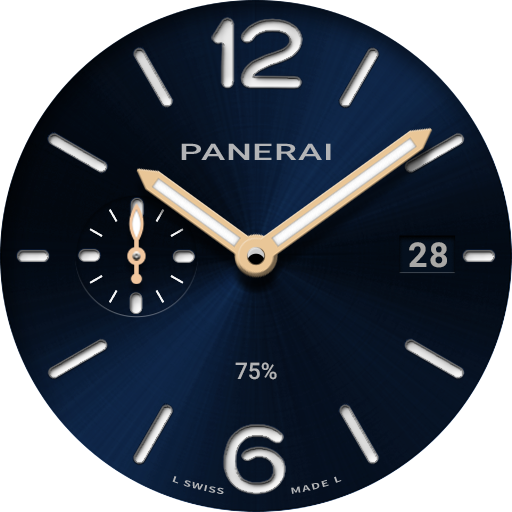
perslot7
This watch face supports all Wear OS devices with API level 30 or higher, such as Samsung Galaxy Watch 4, 5, 6, Pixel Watch, etc.<br><br>+++++++++++++++++++++++++++++++++++++++++++++++<br><br>[How to install]<br>Before pressing the payment button, make sure your watch is selected.<br>Select your watch by pressing the small triangle next to the payment button.<br><br>Select the menu at the top right of the Play Store app (three dots) > Share > Chrome browser > Install on other devices > Clock and proceed.<br><br>After installation, select it from the download list, register it as a favorite, and use it. You can view the download list by clicking 'Add Watch Screen' on the far right of the favorites list that appears when you press the watch screen.<br><br>+++++++++++++++++++++++++++++++++++++++++++++++<br><br>[function]<br>- AOD screen<br><br>+++++++++++++++++++++++++++++++++++++++++++++++<br><br><br><br><br>For inquiries, please contact the email below.<br>gpandkorea@gmail.com
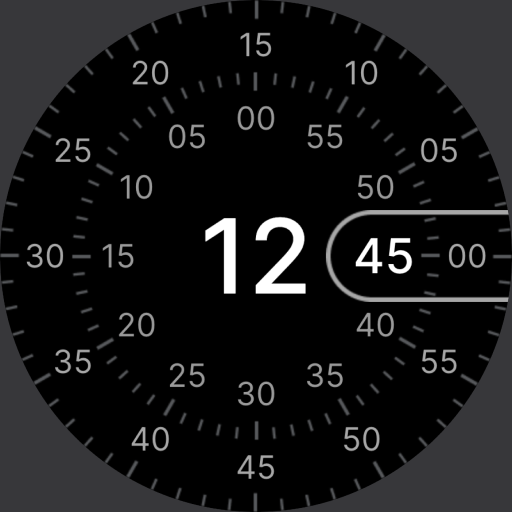
Concentric - Pixel Watch Face
<i><font color="#987FFC">Developed with <b>Watch Face Format</b></font></i><br><br>A digital Wear OS watch face with various customization options and multiple complications.<br><br>This project is open source:<br>https://github.com/lukakilic/concentric-watch-face<br><br><b><font color="#1CB173">CUSTOMIZATION</font></b><br>- 🎨 Color Themes (3x40 Selections)<br>- 🕰 Index Styles (3x)<br>- ⚫ AOD Styles (4x)<br>- 🔧 Customizable Complication (5x)<br><br><b><font color="#1CB173">FEATURES</font></b><br>- 🔋 Battery Efficient<br>- 🖋️ Unique Design<br>- ⌚ AOD Support<br>- 📷 High Resolution<br>- ⌛ 12/24H Format<br><br><b><font color="#EF930A">COMPANION APP</font></b><br><br>The phone app is there to help you with the installation and setting up the watch face on your smartwatch. Optionally, you can activate notifications to stay informed about updates, campaigns, and new watch faces. <br><br><b><font color="#EF930A">CONTACT</font></b><br><br>Please send any issue reports or help requests to:<br><br>watchface@lukakilic.com<br><br><br><i>Concentric by Luka Kilic</i>
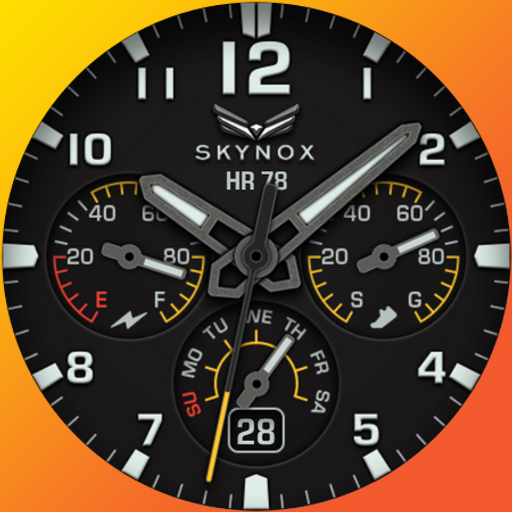
Ballozi SKYNOX Analog
BALLOZI SKYNOX is a simple and free analog watch face for Wear OS. <br><br>⚠️NOTICE of Device Compatibility:<br>This is a Wear OS app and is only compatible with smartwatches running Wear OS 5.0 or higher (API level 34+)<br><br>FEATURES:<br>- Battery percent<br>- Steps percent subdial<br>- Date & day of week<br>-6x Background Colors<br>- 8x Theme colors<br>- 8x Watch hand colors, index markers & pointers<br>- 1x editable complication for short data<br>- 4x Preset app shortcuts<br><br>CUSTOMIZATION:<br>1. Press and hold display then hit "Customize".<br>2. Swipe left and right to choose what to customize.<br>3. Swipe up and down to choose options available.<br>4. Hit "OK". <br><br>PRESET APP SHORTCUTS:<br>1.Battery Status<br>2. Alarm<br>3. Calendar<br><br>CUSTOMIZABLE APP SHORTCUTS<br>1. Press & hold display then Customize<br>3. Find Complication, single tap to set preferred app in the shortcuts.<br><br>Check out Ballozi's updates at:<br><br>Facebook page: https://www.facebook.com/ballozi.watchfaces/<br><br>Telegram group: https://t.me/Ballozi_Watch_Faces<br><br>Instagram: https://www.instagram.com/ballozi.watchfaces/<br><br>Youtube Channel: https://www.youtube.com/channel/UCkY2oGwe1Ava5J5ruuIoQAg<br><br>Pinterest: https://www.pinterest.ph/ballozi/<br><br>For support and request, you can email me at balloziwatchface@gmail.com

QuanTick 12 - Minimal Watch
QuanTick 12 blends a clean minimal aesthetic with functional data and customizable options, designed for clarity, ease of use and a smooth modern look while remaining battery friendly.<br><br>Compatible with Wear OS devices - API 34+ (Pixel Watch, Galaxy Watch 7, Ultra etc.). <br><br>Key features:<br>• Time (12h/24h) - Digital<br>• Date<br>• Weather Type<br>• Temperature<br>• Battery Level - Ratio<br>• 1x Customizable Shortcuts<br>• 2x Customizable Complications<br>• 3x Preset Shortcuts<br><br>Designed for Clarity.<br> <br>BUY 1 GET 1: https://www.omgwatchfaces.com/bogo<br><br>AMOON designs are not included.
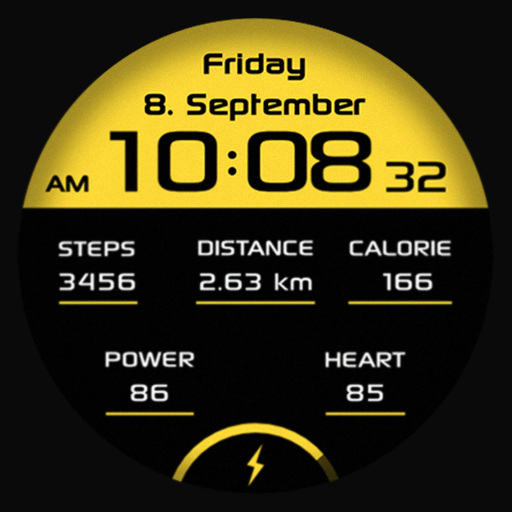
SG Sport 2
The SG-Sport 2 is a digital dial from SGWatchDesign.<br><br>Buy one get one! OFFER<br><br>Only for Wear OS device API 30+<br><br>Functions<br><br>• Really black background (OLED-friendly)<br>• 12/24 hour time (adapts to the connected phone<br>• manual selection km/mi<br>• Date multilingual <br>• high resolution<br>• Energy -efficient<br><br><br>For the full range of functions, please activate the authorization "sensors" and "complications data" manually!<br><br>The telephone app only serves as a placeholder to simplify the installation and finding the dial on your Wear OS watch. You have to select your watch device from the dropdown menu<br><br>Please send all problem reports or help inquiries to our support address<br>sgwatchdesign@gmail.com

TVV Digital Earth - Animated
- Compatible with WEAR OS devices with API LEVEL 33+<br><br>- Animated Digital Watch Face.<br><br>- For complications:<br><br> 1. Touch and hold the display<br> 2. Tap on customize option<br><br>- It contains:<br><br> - Digital Clock - 12h/24h - based on phone settings<br> - Date<br> - Battery Percentage<br> - Heart Rate<br> - Moon Phase<br> - Steps<br> - 2 Changeable Complications (*recommended for Weather and Steps)<br> - 4 Changeable Shortcuts<br><br> - 3 Preset Shortcuts - tap to open app<br> • Battery<br> • Calendar<br> • Heart Rate<br><br> - Always on Display (AOD)<br> <br>About Heart Rate:<br><br>- The watch measures the heart rate automatically every 10 minutes.<br>- Heart Rate app shortcut only for compatible devices.<br><br>Important Note:<br><br>- Certain devices may not support all the features and 'Open App' action.
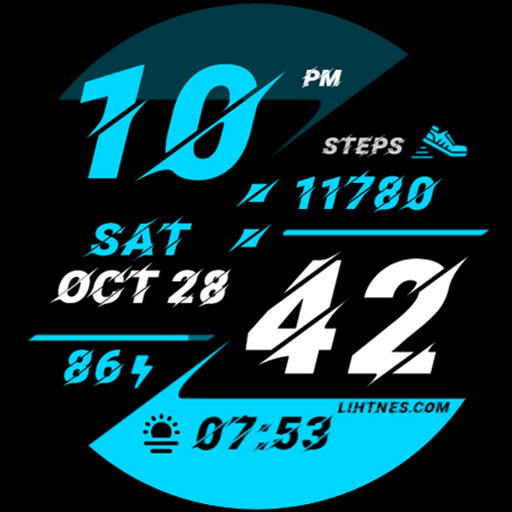
Sporty Watch Face 024
Introducing our latest premium watch face for Wear OS. Our expert designers specialize in creating captivating watch faces. With vibrant colors, realistic design, and customizable complications, we bring timekeeping to life. Elevate your wristwear with style, functionality, and individuality.<br><br>Digital watch face with a wide range of customization options, providing the ultimate experience. Introducing our exceptional watch face, packed with an array of impressive features:<br><br>✦ Explore 24 color theme options to personalize your watch face according to your preferences.<br>✦ Enhance your watch face with 1 short text / Range value complications from a curated list of options.<br>✦ Seamlessly switch between 12-hour and 24-hour time displays, matching your phone's settings.<br>✦ Stay updated with the date, day, battery level, and step count at a glance.<br><br>Important: This app is exclusively designed for Wear OS devices. The phone app is optional and can be uninstalled. Note that features may vary based on your watch's brand and model.<br><br>Permissions: Allow the watch face to access vital sign sensor data for precise health tracking. Authorize it to receive and display data from your chosen apps for improved functionality and customization.<br><br>Our feature-rich watch face ensures a visually appealing and functional experience, tailored to your individual preferences. Don't forget to explore our other captivating watch faces for a diverse range of options.<br><br>More from Lihtnes.com:<br>https://play.google.com/store/apps/dev?id=5556361359083606423<br><br>Visit our Website:<br>http://www.lihtnes.com<br><br>Follow us on our social media sites:<br>https://fb.me/lihtneswatchfaces<br>https://www.instagram.com/liht.nes<br>https://www.youtube.com/@lihtneswatchfaces<br>https://t.me/lihtneswatchfaces<br><br>Please feel free to send your suggestions, concerns, or ideas to: tweeec@gmail.com
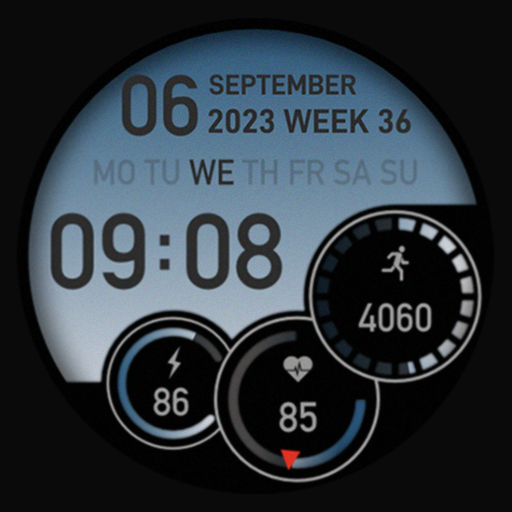
SG-61
The SG-61 is a digital dial from SGWatchDesign.<br><br>Buy one get one! OFFER<br><br><br>Functions<br><br>• 12/24 hour time (adapts to the connected phone)<br>• Date multilingual<br>• high resolution<br>• Energy -efficient<br><br><br>For the full range of functions, please activate the authorization "sensors" manually!<br><br>The telephone app only serves as a placeholder to simplify the installation and finding the dial on your Wear OS watch. You have to select your watch device from the dropdown menu<br><br>Please send all problem reports or help inquiries to our support address<br>sgwatchdesign@gmail.com

Muviz Watch Faces Collection
Our app is a <b>collection of Watch Face Format faces in a single app with full support for wear OS complications.</b> Every single watch face is <b>handmade by us</b> to perfectly work on your wear devices.<br><br><b> • Minimal, Battery Efficient and Fully Offline</b><br>Every watch face is tuned to consume less power as much as possible without any background process. Our faces are fully offline and doesn't use any network data to show watch faces. Some of the Watch Faces available are,<br> • Exactograph Watch Face.<br> • Concentric Watch Face from Pixel Watch 4.<br> • Arcs Field Watch Face from Pixel Watch 3.<br> • Active Watch Face from Pixel Watch 3.<br> • Galaxy Watch Ultra Watch Face.<br> • Apple Watch Ultra's Watch Faces.<br> • Photowear Watch Faces.<br> • Wild Analog Watch Face.<br> • Adventure Watch Faces from Pixel Watch 2.<br> • Analog Watch Faces from Pixel Watch 2.<br> • Pixel's Pilot Bold Watch Face.<br> • Watch 6's Perpetual Watch Face.<br> • Designer Watch Faces.<br> • Apple Digit Watch Face.<br> • Glow Watch Face.<br> • Pixel Rotary Watch Faces or Concentric Watch Faces.<br> • Pixel Minimal Watch Faces.<br> • Eclipse Watch Face.<br> • Big Apple Watch Face.<br> • Retro Watch Faces & many more.<br><br><b> • Supports Native & Third Party Complications</b><br>You can add wear OS complications from the native system app or from any app you downloaded from Play Store to our watch faces. The complications are fully customisable with our companion app.<br><br><b> • Ambient Mode Support in Always On Display</b><br>Our Watch Faces supports the display switching between ambient mode and active mode with smooth and fluid animations. Burn-in protection is already built into our faces.<br><br><b> • Fully Customizable Watch Faces</b><br>Customize our watch faces to match your style using a powerful editor in our wear app.<br><br><b> • In house Complications</b><br>We have our own highly customizable complications which can be used on our watch faces or on any other third-party watch faces. Currently available complications are,<br><br> • Phone Battery Complication.<br> • Day & Date Complication.<br><br>Facing issues? don't hesitate to drop us a mail at <b>support@sparkine.com</b>
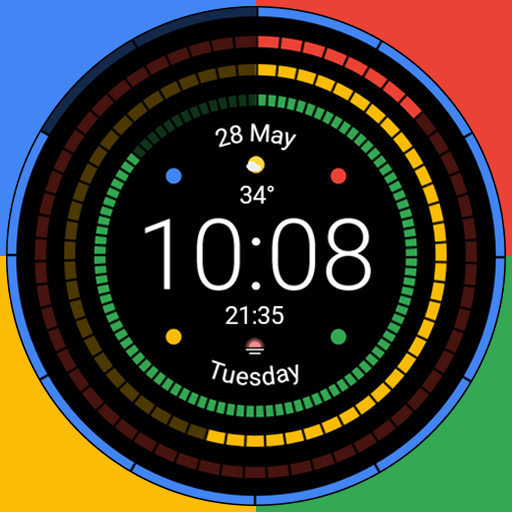
Round Pixel
Primary function:<br>- Digital time<br>- Date, week<br>- Complication of the selection of information displayed on the watch face<br>- Multilingual<br>- Many different theme colors<br>- Optimized to save the battery of the watch<br>- AOD<br><br>Watch face customization:<br>- Touch and hold the display<br>- Press on the settings option<br><br>The watch face is designed for Wear OS watches<br><br>Many thanks for your feedback and ratings<br><br>All my watch faces are on Google Play:<br>https://play.google.com/store/apps/dev?id=7180834495793755734

ZION Blue - digital watch face
This is a free version of "ZION", an elegant minimalist timepiece - <b>ZION Blue</b>!<br><br><b>ZION Blue</b> is a highly simplistic watch face with a design focused on pure clarity and minimalism, while still offering great usability and functionality! <br><br><b>Tap the left screen edge to hide or show the edge indicators</b> if you prefer to keep everything as simple as possible! <br><br><b><u>Paid version with customizable colors</u> is also available:</b><br>https://play.google.com/store/apps/details?id=com.watchfacestudio.zion<br><br><br>Powered by <b><font color="#00E8AD">Watch Face Format</font></b> - offering expanded customization options and useful features!<br><b>Made only for devices running <u>Wear OS 5.0 and newer versions (API 34+)</u></b><br><br><u>Please install only to your watch device.</u><br>Phone companion app serves only to help direct installation to your watch device.<br><br><br><b><font color="#00E8AD">FEATURES:</font></b><br>- <b>Digital clock</b> - 12h/24h<br> - TAP center or Minutes for Custom app shortcuts<br>- <b>Month and Date</b> - Multi-language support<br> - TAP to open Calendar<br>- <b>Weekday</b> - Multi-language support<br> - TAP to open Alarm<br>- <b>Daily steps goal % bar</b> - Syncs with the health app<br> - TAP to open Steps<br>- <b>Battery % bar<b> <br> - TAP to open Battery info<br>- <b>Battery and Steps can be hidden<b> <br> - TAP left screen edge ("9 o'clock") to hide/show<br>- <b>2 Custom app shortcuts</b> - Hidden<br> - Center of the watch face and Minutes<br>- <b>Battery efficient AOD</b> - Customizable<br> - Averaging just 2.5% - 4.5% active pixels<br><br>- <b>Long-press to access <u>Customize menu</u></b>:<br> - Seconds Brightness - 6 levels<br> - Index styles - 4 different styles<br> - AOD Cover - 4 cover options<br> - Complications<br> - 2 Custom app shortcuts<br><br><br><b><font color="#00E8AD">INSTALLATION TIPS:</font></b><br><b>https://www.enkeidesignstudio.com/how-to-install</b><br><br><br><b><font color="#00E8AD">CONTACT:</font></b><br><b>info@enkeidesignstudio.com</b><br><br>E-mail us for any questions, issues or general feedback. <b>We're here for you!</b><br>Customer satisfaction is our main priority, we make sure to respond to each e-mail within <b>24 hours</b>. <br><br><br><b>More watch faces:</b><br>https://play.google.com/store/apps/dev?id=5744222018477253424<br><br><b>Website:</b><br>https://www.enkeidesignstudio.com<br><br><b>Social media:</b><br>https://www.facebook.com/enkei.design.studio<br>https://www.instagram.com/enkeidesign<br><br><br>Thank you for using our watch faces.<br>Have a great day!</b></b></b></b>
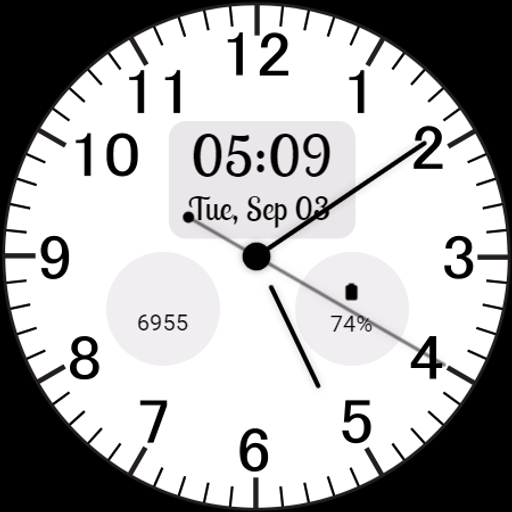
Classic Analog Watch Face
Classic Analog Watch Face for Wear OS - minimalist design with analog time, date, steps, and battery. Timeless elegance for your wrist.<br><br>Classic Analog Watch Face is perfect for everyday wear.<br><br>⚙️ Watch Face Features<br>• Clean analog design with easily readable hour markers. <br>• Digital display for time and date. <br>• 12/24 hour Time<br>• Battery %<br>• Steps Counter<br>• Date, month and day of the week.<br>• Ambient Mode<br>• Customizable Complications<br>• Always-on Display (AOD)<br>• Long tap to customize<br><br>🔋 <br>Battery<br><br>For better battery performance of the watch, we recommend disabling the "Always On Display" mode.<br><br>After installing the Classic Analog Watch Face , follow these steps:<br><br>1.Open the Companion App on your phone.<br>2.Tap "Install on Watch".<br>3.On your watch, select the Classic Analog Watch Face from your settings or watch face gallery.<br>Your watch face is now ready to use !<br><br><br>✅ Compatible with all Wear OS devices API 33+ including such as Google Pixel Watch, Samsung Galaxy Watch etc.<br>Not suitable for rectangular watches.<br><br>Thank you !
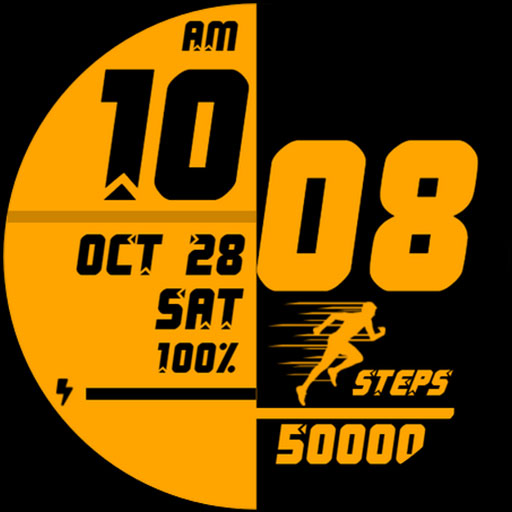
Sports Watch Face 019
Introducing our latest premium watch face for Wear OS. Our expert designers specialize in creating captivating watch faces. With vibrant colors, realistic design, and customizable complications, we bring timekeeping to life. Elevate your wristwear with style, functionality, and individuality.<br><br>Digital watch face with a wide range of customization options, providing the ultimate experience. Introducing our exceptional watch face, packed with an array of impressive features:<br><br>✦ Explore 24 color theme options to personalize your watch face according to your preferences.<br>✦ Enhance your watch face with 2 short text / Range value complications from a curated list of options.<br>✦ Add visual interest with 2 icons / Small image complications from a diverse selection of choices.<br>✦ Seamlessly switch between 12-hour and 24-hour time displays, matching your phone's settings.<br>✦ Stay motivated with the 10K Steps goal and battery gauge display on your watch face.<br>✦ Stay updated with the date, day, battery level, and step count at a glance.<br><br>Important: This app is exclusively designed for Wear OS devices. The phone app is optional and can be uninstalled. Note that features may vary based on your watch's brand and model.<br><br>Permissions: Allow the watch face to access vital sign sensor data for precise health tracking. Authorize it to receive and display data from your chosen apps for improved functionality and customization.<br><br>Our feature-rich watch face ensures a visually appealing and functional experience, tailored to your individual preferences. Don't forget to explore our other captivating watch faces for a diverse range of options.<br><br>More from Lihtnes.com:<br>https://play.google.com/store/apps/dev?id=5556361359083606423<br><br>Visit our Website:<br>http://www.lihtnes.com<br><br>Follow us on our social media sites:<br>https://fb.me/lihtneswatchfaces<br>https://www.instagram.com/liht.nes<br>https://www.youtube.com/@lihtneswatchfaces<br>https://t.me/lihtneswatchfaces<br><br>Please feel free to send your suggestions, concerns, or ideas to: tweeec@gmail.com

Essentials: Digital Watch Face
More watch faces by Active Design: https://play.google.com/store/apps/dev?id=6754954524679457149<br><br><b>Essentials – Digital Watch Face for Wear OS by Active Design</b><br><br>Stay focused on what matters with Essentials, a clean and minimal digital watch face crafted for clarity and everyday reliability. Designed for Wear OS smartwatches, Essentials delivers a timeless layout that keeps your most important information front and center—no clutter, no distractions.<br><br><b>CLEAN & MINIMAL DIGITAL DESIGN</b><br>• Crisp digital time with perfect readability<br>• Balanced layout that works for any style or occasion<br>• Optimized for Galaxy Watch, Pixel Watch, and all Wear OS devices<br><br><b>ALL THE BASICS — EXACTLY WHERE YOU NEED THEM</b><br>• 12h / 24h time format (system-based)<br>• Day & date display for everyday organization<br>• Battery level indicator<br>• Simple, distraction-free interface<br><br><b>ALWAYS-ON DISPLAY (AOD) OPTIMIZED</b><br>• Power-efficient AOD mode<br>• Clean and clear time/date visibility<br>• Designed for round AMOLED screens<br><br><b>BUILT FOR DAILY USE</b><br>• Lightweight, smooth, and battery-friendly<br>• Perfect for work, school, casual use, and everything in between<br>• A timeless design that fits any smartwatch setup<br><br><b>HOW TO USE</b><br><br>1. Install Essentials from Google Play.<br>2. Make sure your smartwatch is running Wear OS 5 or later.<br>3. On your watch, touch and hold your current watch face, then scroll to select <b>Essentials</b> by Active Design.<br><br><b>ABOUT ACTIVE DESIGN</b><br>Active Design creates premium Wear OS watch faces focused on simplicity, clarity, and modern aesthetics. Discover more by searching <b>"Active Design Watch Face"</b> on Google Play.<br><br><b>Activate Essentials today and enjoy simplicity perfected.</b>

Torque Watch Face
<b>Made with WatchFace Format for Wear OS 5+<b></b><br><br>Unleash the power of precision with Torque Watch Face, a cutting-edge design built for Wear OS without limits. This dynamic face blends analog-style clock hands with sharp digital time, offering a sleek, dashboard-inspired interface. Featuring real-time step progress, heart rate, hydration tracking, weather updates, and calendar events, Torque keeps you informed at a glance. Multiple progress bars indicate battery levels (phone and watch), step goal completion, and date placement—perfect for fitness enthusiasts and productivity-driven users.<br><br>With support for Wear OS complications, customizable layout, and a futuristic neon-glow aesthetic, Torque Watch Face turns your smartwatch into a high-performance cockpit. <br><br>Some of key Features:<br>🕒 Hybrid Display: Analog hands for hours and minutes + bold digital time & date.<br>👟 Live Step Counter: Tracks your steps in real-time with visual progress ring<br>🌡️ Weather Widget: Displays current temperature 🌤️ (24°C) and conditions.<br>❤️ Heart Rate Monitor: Shows live BPM <br>🔋 Battery Indicators:<br>🔴 Phone battery <br>⚫ Step goal progress <br>📅 Day & Date Display:<br>📱 Upcomming events<br>🔄 Complication Support: Add your own Wear OS widgets and shortcuts.<br><br>❓ Need Help?<br>If you experience any issues with the watch face, feel free to contact us:<br>📩 richface.watch@gmail.com<br><br>🔐 Permissions & Privacy Policy:<br>https://www.richface.watch/privacy<br>https://richface.watch</b>
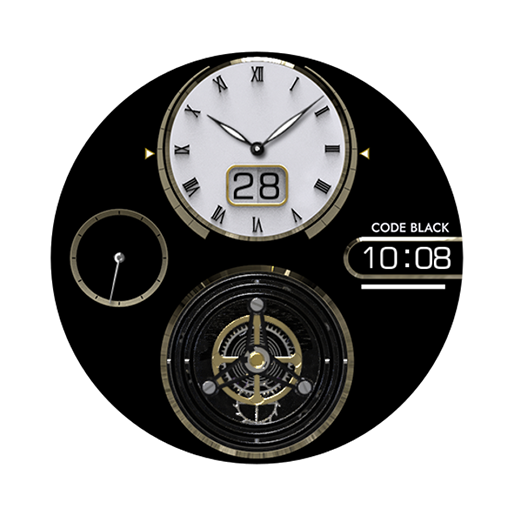
AI Code Black F
3D analog watch face.<br><br>- Support wear os<br>- Square screen watch mode is not supported.<br><br>Customizing<br>- Press&hold<br> (Dial style change x 5)<br> (Hand style change x 3 hand style)<br><br>- Battery % <br><br>- Always on display<br><br>- Gyroscope Animation<br><br>- 1 x User custom (App shortcut)<br>- one tap (Alarm, Music, Battery, Setting)<br><br>*** Installation Guide ***<br><br>The mobile app is a helper app for installing the watch app.<br><br>1. The watch and mobile phone must be connected via Bluetooth.<br>2. Tap the "CLICK" button on your phone's companion app.<br>3. Follow the screen of the watch to install the watch face in a few minutes.<br><br>You can also directly search for the watch face in the watch's Google app and install it.<br>You can search and install it in your mobile Mobile web browser.<br><br>support : aiwatchdesign@gmail.com<br><br>* Support Wear OS *