Loading app details…
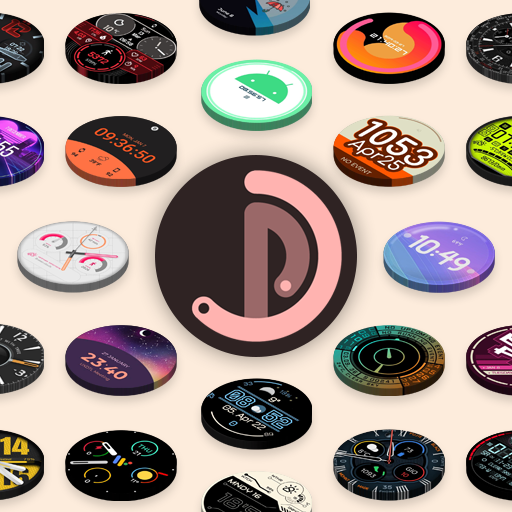
Pujie Watch Faces - Wear OS 4-
<b>→ SMART WATCH COMPATIBILITY</b><br>This version is <b>not</b> compatible with the Galaxy Watch 7/8, the Galaxy Watch Ultra and the Pixel Watch 3. And will <b>not be compatible with Wear OS 6 or newer watches</b>. If you have a Wear OS 6 watch, check out:<br><br><b>Pujie Watch Faces - Wear OS 6</b><br>→<br>https://play.google.com/store/apps/details?id=com.pujie.watchfaces<br><br>This version is fully compatible with all WearOS 2.x, 3.x & 4.x devices. Or watches which have been upgraded to Wear OS 5.<br><br>This includes the following:<br><br>• Samsung Galaxy Watch 4, 5 & 6<br>• Google Pixel Watch 1 & 2<br>• Fossil smartwatches<br>• Mobvoi TicWatch Series<br><br><b>→ ONLINE</b><br>https://pujie.io<br><br>Tutorials: <br>https://pujie.io/help/tutorials<br><br>Cloud Library:<br>https://pujie.io/library<br><br>Documentation:<br>https://pujie.io/documentation<br><br><b>→ INTERACTIVE WATCH FACE / LAUNCHER</b><br>Pujie Watch Faces allows you to assign custom actions to a huge number of possible tap targets. The <b>Tap drawer, a panel with 6 tap targets and all your custom elements make up to unlimited assignable tap targets! It's a watch face and <b>launcher</b> in one! </b> <br><br><i>Choose from:</i><br>• The Calendar, Fitness, Weather view or The Tap Drawer<br>• Any installed watch or phone app or shortcut<br>• Tasker tasks!<br>• Watch or phone actions (volume, play/pause music, etc)<br><br><b>→ DESIGN</b><br>Design your <b>own watch elements (watch hands, backgrounds, complications, custom elements)</b> with the included watch element designer! Pujie Watch Faces has the most advanced watch face maker, supporting true vector graphics and images.<br><br><b>→ WATCH FACE LIBRARY</b><br>The watch face library is an online social library of <b>watch faces and watch parts</b>.<br><br>Read more:<br>https://pujie.io/library<br><br><b>→ WIDGET</b><br>Even when you don't own a smartwatch you can use Pujie Watch Faces. Use the same app to create a home screen clock widget!<br><br><b>→ KEY FEATURES</b><br>All settings are available using the Pujie Watch Faces phone app. Some settings are available from the configuration menu on the watch.<br><br>• 20+ watch faces to get you started<br>• Choose from 1500+ fonts<br>• Design your own watch elements<br>• Animated<br>• Tasker integration (variables & tasks)<br>• Start any watch or phone app<br>• Square, rectangular and round watches<br>• Calendar integration!<br>• Weather data, Celsius or Fahrenheit<br>• Phone and smartwatch battery status<br>• Multiple time zones<br>• Share your watch faces with others<br>• And much more<br><br><b>→ SUPPORT</b><br><b>!! Please don't rate us 1-star, just contact us. We respond mighty fast !!</b><br>https://pujie.io/help<br><br><i><u>How do I install the watch face?</u></i><br>1 Wear OS 2.x & Wear OS 3.x: Download the watch app from the <b>Play Store on the watch</b>.<br>2. Long press your watch and choose Pujie Watch Faces as your watch face, or select it using the WearOS app.<br><br><i><u>How do I activate a widget?</u></i><br>1. Long press your home screen or go to the widget section in the app drawer (depends on your launcher)<br>2. Choose Pujie Watch Faces.<br>3. Design a new style, or choose one of your designs<br>4. Place and re-size to your liking
Ad · slot