Loading app details…
Minimalist Analog
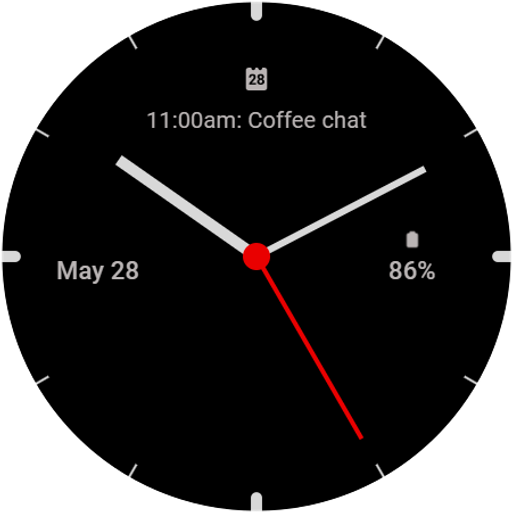
<h1>Minimalist Analog Watchface for Wear OS</h1><br>Introducing <b>Minimalist Analog</b>, a sleek and sophisticated watchface designed for Wear OS that combines classic elegance with modern functionality. Featuring a timeless analog clock, this watchface offers unparalleled customization with <b>20 vibrant color themes</b>. You can personalize the color of the clock index, clock hands, and four complication slots to suit your style. <br><br><b>Key Features:</b><br>• <b>Classic Analog Design:</b> Enjoy the beauty of a traditional analog clock on your wrist, providing a touch of elegance and simplicity.<br>• <b>Customizable Complications:</b> Four slots are available for your favorite complications, allowing you to access essential information at a glance.<br>• <b>Always-On Display (AOD) Optimization:</b> The AOD mode is meticulously optimized for low power usage, ensuring your watchface remains visible while conserving battery life.<br>• <b>Battery Efficiency:</b> Built using the latest <b>WFF</b> format for Wear OS, <b>Minimalist Analog</b> is designed to minimize battery consumption. Its minimalist design and power-efficient color schemes further enhance battery performance, making it perfect for daily wear.<br><br><b>Personalization Options:</b><br>• <b>20 Color Themes:</b> Choose from a wide range of colors to customize the clock index, hands, and complication slots, creating a look that’s uniquely yours.<br>• <b>Efficient Design:</b> The minimalist aesthetic not only looks great but also helps in reducing power usage, ensuring your smartwatch remains charged longer.<br><br>With <b>Minimalist Analog</b>, you get a watchface that’s as functional as it is beautiful. Experience the perfect blend of tradition and technology, and enjoy a watchface that keeps up with your lifestyle while preserving battery life.<br><br><b>Minimalist Analog</b> – where elegance meets efficiency. Available now for Wear OS.<br><br>To customize the watchface and change the color theme or the complications, press and hold on the display, then tap the <b>Customize</b> button and customize it the way you want.<br><br><b>Don't forget</b>: use the companion app on your phone to discover other amazing watchfaces made by us!<br><br>For more watchfaces, visit our developer page on Play Store!