Loading app details…
Flower Watch Face by HuskyDEV
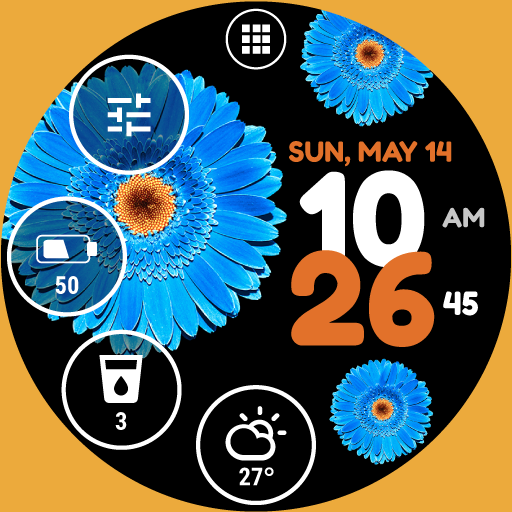
<b>The Flower Watch Face is fully compatible with Wear OS 2 and Wear OS 3 and is compatible with all Wear OS watches</b><br><br><b>Wear OS 2 and Wear OS 3 integrated features</b><br>• <b>external complication support</b><br>• <b>fully standalone</b><br>• <b>iPhone compatible</b><br><br>The Flower Watch Face has a perfect look and is built for use every day, it simplifies many use cases such as launching programs or being informed about watch battery usage.<br><br>The application is completely free and has basic features and options. You can also purchase the PREMIUM version with many useful features and options.<br><br><b>FREE version includes:</b><br>★ Own launcher<br>★ Weather forecast for the current day<br>★ Detailed information about the watch battery<br>★ Hourly sound and vibration options<br>★ 2 accent colors<br>★ 2 flower colors<br>★ 3 background colors<br><br><b>PREMIUM version includes:</b><br>★ All features from the FREE version<br>★ 8 additional accent colors<br>★ 6 additional flower colors<br>★ 22 additional background colors<br>★ 4 predefined trackers for water, tea, (etc...) intake with daily, weekly, monthly, and yearly statistics<br>★ Ability to choose from 4 styles of flowers<br>★ Ability to choose from 4 types of flower entry animations (Scale up, Rotation, Slide in, None - flower animation is disabled)<br>★ Ability to show/hide any indicator of the watch face<br>★ Ability to set the transparency of the indicator<br>★ Ability to set the style of the indicator ring (Accent, White, Hidden - no indicator ring visible)<br>★ Ability to use a selected accent color for indicator text and icons<br>★ Ability to change the selected accent color, flower color, flower style, background color, and flower animation type using the Live edit feature using the Watch Face preview<br>★ More than 15 language translations<br>★ Watch battery history chart<br>★ Two styles of the notification indicator (dot, counter) with the ability to set custom colors<br>★ Auto-lock option, a feature to prevent accidental clicks<br>★ Pixel burn-in protection<br>★ Lost connection option<br>★ 5 launch bar shortcuts<br>★ Weather forecast for upcoming hours and days<br>★ Set 4 indicators with any of the predefined views, actions, applications or external complications (Wear OS 2.0+ required)<br>★ Ability to change battery indicator type<br>★ Ability to change Keep watch screen awake interval<br>★ Ability to change the Weather update interval<br><br>You can change any settings or adjust all features (the PREMIUM version) or all free features in the Watch Face configuration in the watch. You can also install a companion application that allows you to conveniently change any settings or adjust all features. <br><br>The Flower Watch Face works great with squared and round watches.